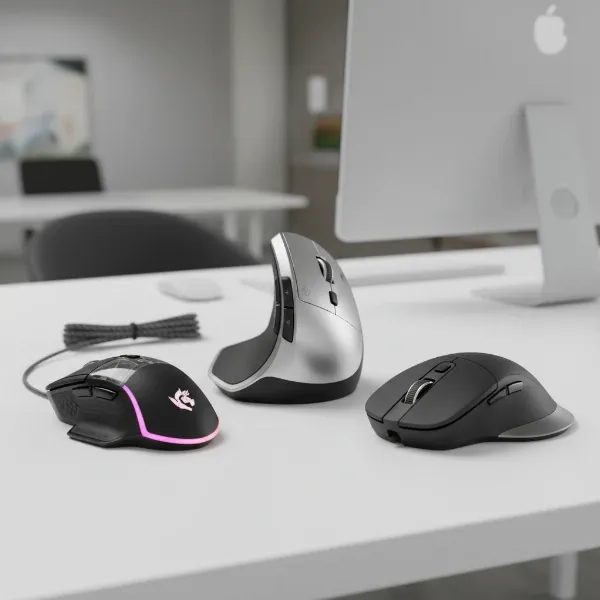
For users with large hands, selecting the right computer mouse in 2026 is crucial for preventing discomfort, repetitive strain injuries, and maximizing productivity. Prioritize ergonomic designs that offer full palm support, ample length and width, and customizable features to ensure a natural, stress-free grip tailored to your specific hand dimensions and preferred grip style.
Introduction: Why Your Mouse Needs to Fit Your Hand in 2026
In 2026, prolonged computer use demands peripherals that truly fit. For individuals with larger hands, a standard-sized mouse often leads to cramped fingers, wrist strain, and reduced control. Investing in a properly sized, ergonomic mouse is not a luxury; it’s a necessity for health, comfort, and sustained productivity.
Why is Mouse Size Critical for Users with Large Hands in 2026?
The human hand is a complex structure, and forcing it into an unnatural position for extended periods invites a host of issues. For large hands, a small mouse means fingers curl excessively, the palm lacks support, and the wrist often bends at an awkward angle. This misalignment places undue stress on tendons and nerves, potentially leading to conditions like carpal tunnel syndrome, cubital tunnel syndrome, and generalized hand and wrist pain.
In 2026, as digital work and entertainment continue to dominate, the cumulative effect of poor ergonomics becomes more pronounced. A mouse that is too small forces a “claw” or “fingertip” grip even when a palm grip is preferred, leading to muscle fatigue and reduced precision. Furthermore, the lack of adequate surface area for the hand to rest on can cause pressure points, particularly at the base of the palm or the pinky finger. This isn’t just about comfort; it directly impacts accuracy, speed, and overall efficiency, whether you’re navigating spreadsheets, editing graphics, or engaging in competitive gaming. A well-fitting mouse allows for natural hand posture, distributing pressure evenly and supporting the hand’s natural curve, which is fundamental for long-term health and performance.
What Ergonomic Considerations Are Paramount for Large Hands?
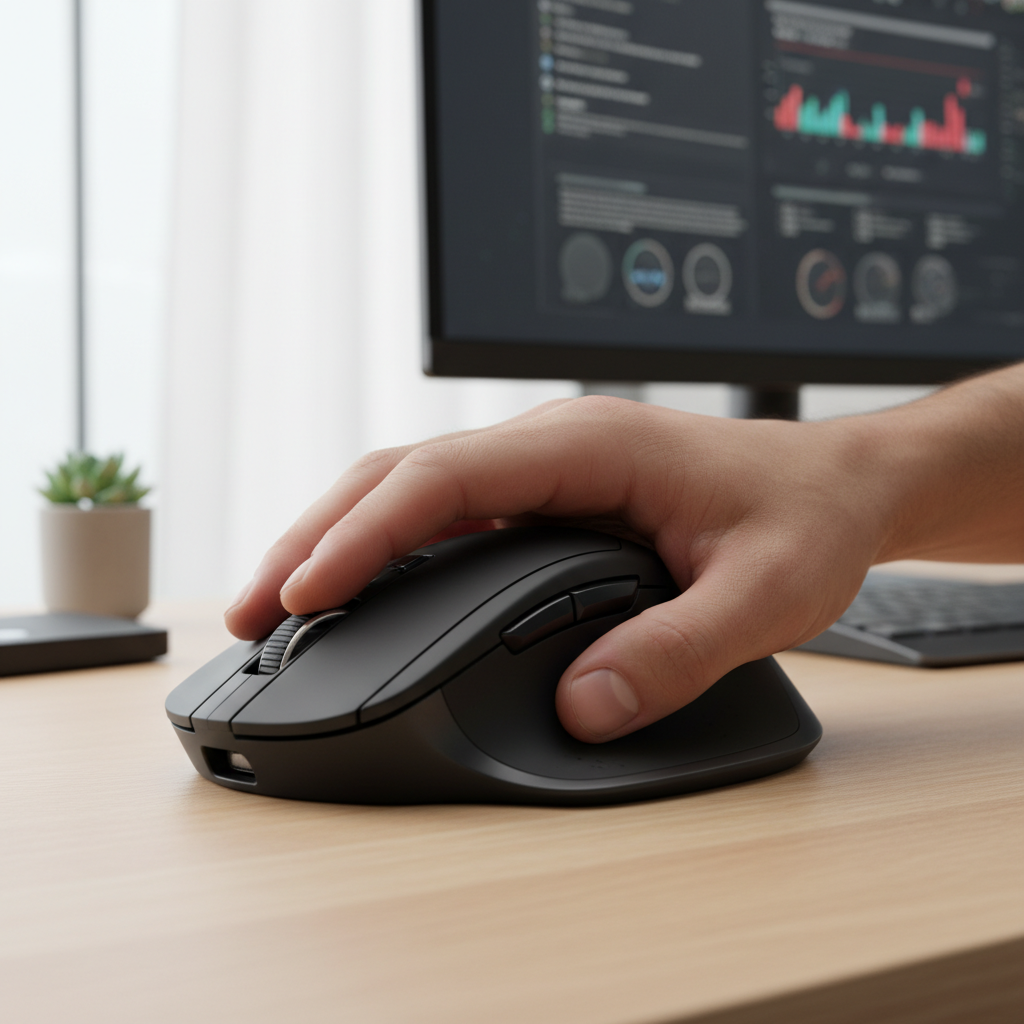
Ergonomics for large hands goes beyond simple size; it encompasses the mouse’s entire design philosophy. The shape and contours are fundamental. A good mouse for large hands will feature a high arch that fills the palm, preventing the hand from collapsing onto the desk. Look for generous length and width, ensuring your fingers aren’t forced to curl aggressively and that your thumb has a dedicated, comfortable resting spot, often with a slight concave curve.
Palm support is non-negotiable. The mouse should cradle your entire palm, reducing pressure on the wrist and preventing “wrist drag” that can exacerbate strain. Many ergonomic mice designed for larger hands incorporate an extended lip or wing for the pinky and ring fingers, preventing them from dragging on the mousepad. The overall slope and angle of the mouse also matter; some designs feature a slight tilt to promote a more neutral wrist posture, aligning the forearm and hand in a straighter line. Consider how the mouse feels during various movements – scrolling, clicking, and sweeping across the pad. A truly ergonomic design will feel like an extension of your hand, not an object you’re gripping tightly.
Which Mouse Dimensions and Weights Are Ideal for Large Hands?
Defining “large hands” is subjective, but generally, a hand measuring over 7.5 inches (19 cm) from the base of the palm to the tip of the middle finger, or a palm width over 3.5 inches (9 cm), benefits significantly from larger mice. For these users, ideal mouse dimensions typically exceed:
- Length: 120 mm (4.7 inches)
- Width: 75 mm (3 inches)
- Height: 45 mm (1.8 inches)
These dimensions provide ample surface area for full palm contact and prevent fingers from over-extending. The specific dimensions will also depend on your preferred grip style. For instance, a palm grip often requires a longer, higher-arched mouse, while a claw grip might tolerate a slightly shorter, but still wide, design.
Weight is another crucial factor. While personal preference plays a role, a mouse for large hands often benefits from being slightly heavier (around 100-140 grams) to provide stability and a sense of control, especially for fine movements. However, excessively heavy mice can contribute to fatigue. Some advanced gaming mice offer adjustable weights, allowing you to fine-tune the feel. Lighter mice (under 80 grams) are popular for competitive gaming due to reduced inertia, but for general productivity or users prioritizing comfort above all, a moderate weight offers a better balance of stability and maneuverability.
What Are the Top Computer Mouse Models for Large Hands in 2026?
The 2026 market offers excellent options tailored for larger hands, balancing ergonomics, performance, and advanced features.
Logitech MX Master 3S
|
Our Picks for the Best Computer mouse in 2026
As an Amazon Associate I earn from qualifying purchases.
|
||
| Num | Product | Action |
|---|---|---|
| 1 | Logitech M185 Wireless Mouse, 2.4GHz with USB Mini Receiver, 12-Month Battery Life, 1000 DPI Optical Tracking, Ambidextrous PC/Mac/Laptop - Swift Grey |

|
| 2 | Wireless Bluetooth Mouse, Rechargeable, LED, Silent, Ultra-thin Design (Bluetooth 5.2 and 2.4GHz USB Receiver) | Portable Computer Mouse for Laptops, iPads, MacBooks and Apple Devices (Black) |
|
| 3 | Amazon Basics 3-Button USB Wired Mouse with Responsive Tracking, Plug & Play, Compatible with Windows and Mac, Black |
|
| 4 | acer Wireless Mouse for Laptop, 2.4GHz Computer Mouse 3 Adjustable DPI Office Cordless USB Mice with USBA Receiver, 6 Buttons, 1600 DPI, Medium to Large Sized Hands Compatible with PC, Laptop, Desktop |
|
| 5 | Redragon M997 Magnesium Alloy Wireless Gaming Mouse, Tri-Mode BT & 2.4GHz, Ultra Lightweight Ergonomic Mouse, 1000Hz, Rechargeable for PC Laptop, Starlight Black |
|
| 6 | Logitech B100 Wired Mouse for Computer and Laptop, USB Corded Mouse, Right or Left Hand Use - Black |
|
| 7 | Amazon Basics 2.4 Ghz Wireless Optical Computer Mouse with USB Nano Receiver, Black |
|
| 8 | TECKNET Ergonomic Mouse, Wireless Vertical Mouse, 4800 DPI, Rechargeable Bluetooth Mice for Carpal Tunnel Right Hand, 3-Device Connectivity for Laptop, PC, MacBook, Black |
|
| 9 | Logitech MX Master 4, Ergonomic Wireless Mouse with Advanced Performance Haptic Feedback, Ultra-Fast Scrolling, USB-C Charging, Bluetooth, Windows, MacOS - Graphite |
|
| 10 | Logitech M510 Wireless Mouse, 2.4 GHz with USB Unifying Receiver, 1000 DPI Laser-Grade Tracking, 7-Buttons, 24-Months Battery Life, PC/Mac/Laptop - Graphite |
|
The gold standard for productivity, the MX Master 3S boasts a sculpted, high-profile design that perfectly cradles larger hands in a natural, relaxed palm grip. Its precise Darkfield sensor tracks on virtually any surface, and the MagSpeed electromagnetic scroll wheel offers unparalleled speed and accuracy. With up to 40% quieter clicks than its predecessor and a generous 70-day battery life, it’s a top choice for professionals.
Razer DeathAdder V3 Pro
A perennial favorite for large-handed gamers, the DeathAdder V3 Pro maintains its iconic ergonomic shape while shedding significant weight (just 63g). Equipped with Razer’s Focus Pro 30K Optical Sensor and optical mouse switches, it delivers exceptional precision and speed. Its high hump and extended length provide ample palm support for a comfortable claw or palm grip during intense gaming sessions, offering up to 90 hours of battery life.
Glorious Model I 2 Wireless
For those seeking a lightweight, highly customizable ergonomic mouse, the Model I 2 Wireless is an excellent contender. Weighing just 71g, it features a comfortable right-handed ergonomic shape with a thumb rest. Its modular side buttons allow for personalized layouts, and the BAMF 2.0 sensor provides up to 26,000 DPI. It’s a versatile option for both gaming and productivity, offering a large footprint without the bulk.
Corsair Dark Core RGB Pro SE
This wireless gaming mouse is designed with a contoured shape that fits larger hands well, offering interchangeable side grips for customizable ergonomics. The Dark Core RGB Pro SE features an 18,000 DPI optical sensor, ultra-low-latency Slipstream Wireless technology, and Qi wireless charging compatibility. Its robust build and pronounced thumb rest make it comfortable for extended use, particularly for palm and claw grippers.
Microsoft Sculpt Ergonomic Mouse
For users who prefer a more radical ergonomic approach, the Sculpt Ergonomic Mouse offers a unique, high-domed shape that promotes a natural wrist and forearm posture. Its large, bulbous design forces a relaxed, palm-down grip, reducing pronation. While it takes some adjustment, many large-handed users find its design superior for long-term comfort, particularly for office work, though it’s less suited for gaming.
How Do Grip Styles Influence Mouse Choice for Large Hands?
Understanding your natural grip style is paramount when selecting a mouse, especially with larger hands. The three primary grip styles are:
- Palm Grip: The entire palm rests on the mouse’s body, and fingers lie flat. This grip offers maximum comfort and stability but requires a larger, longer mouse with a high arch to provide full support. Mice like the Logitech MX Master 3S or Razer DeathAdder V3 Pro are excellent for large-handed palm grippers.
- Claw Grip: The palm rests only on the back edge of the mouse, with fingers arched in a “claw” shape to manipulate buttons and scroll wheel. This grip offers a balance of control and agility. Large-handed claw grippers need a mouse with a prominent hump and sufficient length to prevent cramping, such as the Razer DeathAdder V3 Pro or Corsair Dark Core RGB Pro SE.
- Fingertip Grip: Only the fingertips make contact with the mouse, moving it primarily with finger and wrist movements. This grip offers the highest agility but the least stability and can be tiring. While not ideal for large hands seeking maximum comfort, if preferred, a lighter, medium-to-large mouse with a lower profile might be suitable, though full palm support is sacrificed.
Experiment with different grip styles to determine which feels most natural and comfortable for you. The ideal mouse will complement this natural posture, not force your hand into an uncomfortable position.
Which Advanced Features Enhance Comfort and Performance for Large-Handed Users in 2026?
Beyond size and ergonomics, several advanced features significantly enhance the experience for large-handed users in 2026:
- Programmable Buttons: More buttons, strategically placed, can reduce repetitive finger movements. For large hands, easily accessible thumb buttons are particularly valuable for macros, navigation, or application-specific shortcuts.
- Precision Scroll Wheels: High-quality scroll wheels, especially those with hyper-fast or electromagnetic scrolling (like Logitech’s MagSpeed), allow for efficient navigation of long documents or web pages, reducing finger strain.
- High DPI Sensors: A high DPI (Dots Per Inch) range means the cursor moves further with less physical mouse movement. For large hands, this can reduce large sweeping motions, minimizing arm and shoulder strain. Look for sensors offering at least 8,000 DPI for productivity and 20,000+ DPI for serious gaming.
- Wireless Connectivity: Untethered operation provides freedom of movement, crucial for maintaining comfortable arm posture without cable drag. Look for reliable 2.4GHz wireless or Bluetooth with minimal latency.
- Long Battery Life & Fast Charging: For wireless mice, extended battery life (70+ days for productivity, 90+ hours for gaming) and fast charging capabilities minimize downtime and inconvenience.
- Surface Versatility: A sensor that tracks accurately on various surfaces (glass, wood, fabric) like Logitech’s Darkfield sensor, offers flexibility and consistent performance.
- Quiet Clicks: For shared workspaces or focus-intensive tasks, mice with quiet click technology, such as the Logitech MX Master 3S, significantly reduce auditory distractions.
| Mouse Model | Primary Use | Approx. Dimensions (LxWxH) | Approx. Weight | Ideal Grip for Large Hands | Key Features for Large Hands |
|---|---|---|---|---|---|
| Logitech MX Master 3S | Productivity/Creative | 124.9 x 84.3 x 51mm | 141g | Palm, relaxed Claw | High arch, thumb rest, MagSpeed scroll, quiet clicks, multi-device |
| Razer DeathAdder V3 Pro | Gaming | 128 x 68 x 44mm | 63g | Palm, Claw | High hump, lightweight, ergonomic contour, 30K DPI sensor, optical switches |
| Glorious Model I 2 Wireless | Gaming/Productivity | 128 x 74 x 43mm | 71g | Palm, Claw, Fingertip | Modular side buttons, comfortable thumb rest, lightweight, high DPI sensor |
| Corsair Dark Core RGB Pro SE | Gaming | 127 x 89 x 43mm | 133g | Palm, Claw | Interchangeable side grips, pronounced thumb rest, Qi wireless charging, low latency wireless |
| Microsoft Sculpt Ergonomic Mouse | Productivity/Ergonomic | 100 x 74 x 58mm | 155g | Palm (vertical-like) | Unique high-domed shape for neutral posture, large footprint, thumb scoop |
Key Factors for Large Hands When Buying a Mouse in 2026
- Ergonomics: Prioritize a design that promotes a natural, neutral hand and wrist posture.
- Size & Shape: Look for ample length, width, and a high arch that fills your palm.
- Grip Style Compatibility: Choose a mouse that naturally supports your preferred palm, claw, or fingertip grip.
- Programmable Buttons: Ensure easily accessible extra buttons for improved workflow and reduced strain.
- Sensor Accuracy & DPI: A high-performance sensor reduces physical movement