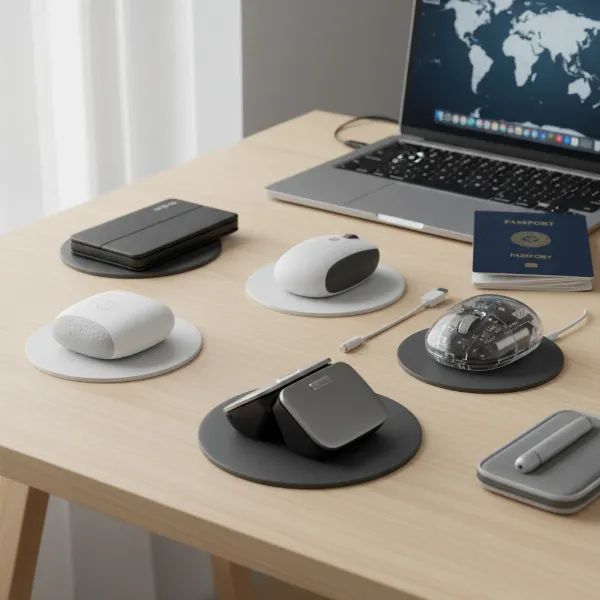
The Razer Pro Click Mini is unequivocally worth it for professionals prioritizing portability, silent operation, and advanced features in a compact form factor. Its dual-mode connectivity, exceptional battery life, and precise sensor make it a top-tier choice for productivity tasks in 2026 and beyond, despite its premium price.

Introduction: Is the Razer Pro Click Mini Your Next Productivity Powerhouse?
In a world demanding efficiency and flexibility, the Razer Pro Click Mini emerges as a compelling contender for professionals. This review delves into whether this compact mouse delivers the performance, comfort, and features required to elevate your digital workflow in 2026.
What Defines the Razer Pro Click Mini’s Design and Ergonomics for 2026?
The Razer Pro Click Mini is engineered with a primary focus on portability and discreet productivity. Its compact, ergonomic design is tailored for smaller hands or for users who frequently travel, slipping effortlessly into any bag or even a pocket. Measuring just 100.2 mm (length) x 62.7 mm (width) x 35.4 mm (height) and weighing approximately 88 grams with an AA battery, it strikes an ideal balance between substantial feel and featherlight portability.
While not strictly ambidextrous due to the left-side thumb buttons, its symmetrical shape caters to both left and right-handed users for basic navigation, though right-handers will benefit most from the side button placement. The build quality is robust, utilizing high-grade plastics that resist fingerprints and minor scuffs, ensuring durability through daily commutes and intense work sessions. The subtle curves provide a natural resting position for the hand, reducing strain during extended use. In 2026, where hybrid work models are standard, a mouse that blends seamlessly into various environments, from a bustling office to a quiet home setup, is crucial. The Pro Click Mini’s understated aesthetic, devoid of typical gaming flourishes, makes it suitable for any professional setting.
The textured side grips enhance control and prevent accidental slips, a small but significant detail often overlooked in compact mice. This thoughtful design ensures that despite its smaller stature, the Pro Click Mini doesn’t compromise on the premium experience Razer is known for, offering a stable and comfortable grip that adapts to various palm and claw grip styles.
How Does the Razer Pro Click Mini Perform in Daily Professional Use?
Performance is paramount for any professional tool, and the Razer Pro Click Mini does not disappoint. At its core is the Razer 5G Advanced Optical Sensor, delivering up to 12,000 DPI. This high sensitivity ensures pixel-precise tracking across multiple monitors, even high-resolution 4K displays, a common setup in 2026. Whether you’re navigating complex spreadsheets, editing detailed graphics, or simply browsing the web, the sensor provides consistent, lag-free responsiveness crucial for productivity.
A standout feature for professional environments is the integration of Razer Silent Mechanical Switches. These switches offer tactile feedback without the disruptive click noise, making the Pro Click Mini up to 40% quieter than standard mechanical mice. This is invaluable in open-plan offices, shared workspaces, or during late-night work sessions where noise reduction is appreciated by everyone. The tactile feedback remains satisfying, preventing the mushy feel often associated with silent switches.
The HyperScroll Tilt Wheel further enhances productivity. Users can switch between a free-spin mode for rapidly scrolling through long documents and web pages, and a tactile mode for precise, stepped scrolling. The tilt functionality adds two extra programmable inputs, expanding the mouse’s versatility. With 7 independently programmable buttons accessible via Razer Synapse 3, users can assign macros, shortcuts, or specific application functions, streamlining workflows significantly. This level of customization ensures the mouse adapts to your unique working style, rather than the other way around.
What Connectivity Options Does the Pro Click Mini Offer, and Why Do They Matter in 2026?
Connectivity is a critical factor for modern peripherals, and the Razer Pro Click Mini excels with its dual-mode wireless capabilities. It supports both Razer HyperSpeed Wireless (2.4 GHz) and Bluetooth Low Energy (BLE), offering unparalleled flexibility for diverse work setups.
Razer HyperSpeed Wireless provides an ultra-low-latency connection, making it indistinguishable from a wired mouse. This proprietary technology ensures stable, reliable performance, crucial for tasks requiring precise input without any lag or dropouts. The included USB-A dongle is compact and can be stored within the mouse itself, preventing loss during travel. For desktops or laptops with dedicated USB ports, HyperSpeed is the go-to for maximum performance.
Bluetooth connectivity, on the other hand, offers convenience and broad compatibility. It allows the mouse to connect to a wider range of devices, including tablets, smartphones, and laptops without available USB ports, making it ideal for on-the-go productivity. The seamless switching between HyperSpeed and Bluetooth modes is a significant advantage. You can have the mouse paired with your desktop via HyperSpeed and your laptop via Bluetooth, switching between them with a single button press. This multi-device support is essential in 2026, where professionals often juggle multiple devices throughout their workday.
Battery life is another impressive aspect. Powered by a single AA battery, the Pro Click Mini boasts up to 725 hours of use on Bluetooth mode and up to 465 hours on HyperSpeed Wireless. This exceptional longevity means you’ll rarely worry about mid-task power depletion, reducing the need for frequent battery replacements and contributing to a more sustainable user experience by minimizing disposable battery waste over time. The mouse also features an auto-sleep function to conserve power when not in use.
Razer Pro Click Mini vs. Competitors: Which Compact Productivity Mouse is Best for You?
When considering a compact productivity mouse, the Razer Pro Click Mini stands among formidable competitors. Its key rivals often include the Logitech MX Anywhere 3 and the Microsoft Surface Mobile Mouse, each offering a unique set of features tailored for the mobile professional. Understanding these distinctions is crucial for making an informed purchase in 2026.
| Feature | Razer Pro Click Mini | Logitech MX Anywhere 3 | Microsoft Surface Mobile Mouse |
|---|---|---|---|
| Sensor DPI | Up to 12,000 DPI (Razer 5G Advanced Optical) | Up to 4,000 DPI (Darkfield Tracking) | Up to 1,800 DPI (BlueTrack Technology) |
| Connectivity | Razer HyperSpeed Wireless (2.4 GHz), Bluetooth | Logitech Unifying Receiver (2.4 GHz), Bluetooth | Bluetooth only |
| Battery Life (Max) | Up to 725 hours (Bluetooth) | Up to 70 days (Rechargeable) | Up to 12 months (AAA battery) |
| Charging | 1x AA Battery (replaceable) | USB-C (built-in battery) | 2x AAA Batteries (replaceable) |
| Scroll Wheel | HyperScroll Tilt Wheel (Free-spin/Tactile) | MagSpeed Electromagnetic (Free-spin/Tactile) | Standard Scroll Wheel |
| Silent Clicks | Yes (Razer Silent Mechanical Switches) | Yes | No (Standard clicks) |
| Programmable Buttons | 7 (via Synapse 3) | 6 (via Options+) | 4 (via Mouse and Keyboard Center) |
| Price Point | Premium | Premium | Mid-range |
The Razer Pro Click Mini distinguishes itself with its superior DPI range, offering finer control for high-resolution setups, and its exceptional battery life from a single AA battery, providing unparalleled uptime. Its Silent Mechanical Switches are a direct answer to the need for quiet operation in professional settings. While the Logitech MX Anywhere 3 offers rechargeable convenience and its own excellent MagSpeed scroll wheel, the Pro Click Mini’s HyperSpeed Wireless often provides a more robust, lag-free connection in competitive wireless environments.
The Microsoft Surface Mobile Mouse, while more affordable and sleek, lacks the advanced features, higher DPI, and dual-mode connectivity of its premium counterparts. For users prioritizing ultimate precision, extensive customization, and a truly silent operation with maximum battery endurance, the Razer Pro Click Mini often emerges as the stronger candidate in the compact productivity segment.
Key Features of the Razer Pro Click Mini for the Modern Professional in 2026
The Razer Pro Click Mini packs a suite of features designed to meet the evolving demands of the 2026 professional landscape:
- Razer Silent Mechanical Switches: Experience quiet, satisfying clicks, reducing auditory distractions in any work environment.
- Razer HyperScroll Tilt Wheel: Seamlessly switch between free-spin mode for fast navigation and tactile mode for precise control, with added horizontal scrolling.
- Dual-Mode Connectivity: Choose between ultra-low-latency Razer HyperSpeed Wireless (2.4 GHz) for peak performance or Bluetooth for broad device compatibility and power efficiency.
- Extended Battery Life: Up to 725 hours on Bluetooth or 465 hours on HyperSpeed Wireless from a single AA battery, minimizing interruptions and environmental impact.
- Razer 5G Advanced Optical Sensor: Enjoy pixel-precise tracking with up to 12,000 DPI, adaptable for various tasks and screen resolutions.
- 7 Programmable Buttons: Customize shortcuts, macros, and functions via Razer Synapse 3 to streamline your workflow and enhance productivity.
- Compact and Ergonomic Design: A sleek, portable form factor that fits comfortably in smaller hands or travels easily, suitable for diverse grip styles.
Frequently Asked Questions
Is the Razer Pro Click Mini good for gaming?
|
Our Picks for the Best Computer mouse in 2026
As an Amazon Associate I earn from qualifying purchases.
|
||
| Num | Product | Action |
|---|---|---|
| 1 | Logitech M185 Wireless Mouse, 2.4GHz with USB Mini Receiver, 12-Month Battery Life, 1000 DPI Optical Tracking, Ambidextrous PC/Mac/Laptop - Swift Grey |

|
| 2 | Amazon Basics 2.4 Ghz Wireless Optical Computer Mouse with USB Nano Receiver, Black |
|
| 3 | Redragon M997 Magnesium Alloy Wireless Gaming Mouse, Tri-Mode BT & 2.4GHz, Ultra Lightweight Ergonomic Mouse, 1000Hz, Rechargeable for PC Laptop, Starlight Black |
|
| 4 | Wireless Bluetooth Mouse, Rechargeable, LED, Silent, Ultra-thin Design (Bluetooth 5.2 and 2.4GHz USB Receiver) | Portable Computer Mouse for Laptops, iPads, MacBooks and Apple Devices (Black) |
|
| 5 | Logitech MX Master 4, Ergonomic Wireless Mouse with Advanced Performance Haptic Feedback, Ultra-Fast Scrolling, USB-C Charging, Bluetooth, Windows, MacOS - Graphite |
|
| 6 | Logitech M510 Wireless Mouse, 2.4 GHz with USB Unifying Receiver, 1000 DPI Laser-Grade Tracking, 7-Buttons, 24-Months Battery Life, PC/Mac/Laptop - Graphite |
|
| 7 | acer Wireless Mouse for Laptop, 2.4GHz Computer Mouse 3 Adjustable DPI Office Cordless USB Mice with USBA Receiver, 6 Buttons, 1600 DPI, Medium to Large Sized Hands Compatible with PC, Laptop, Desktop |
|
| 8 | TECKNET Ergonomic Mouse, Wireless Vertical Mouse, 4800 DPI, Rechargeable Bluetooth Mice for Carpal Tunnel Right Hand, 3-Device Connectivity for Laptop, PC, MacBook, Black |
|
| 9 | Amazon Basics 3-Button USB Wired Mouse with Responsive Tracking, Plug & Play, Compatible with Windows and Mac, Black |
|
| 10 | Logitech B100 Wired Mouse for Computer and Laptop, USB Corded Mouse, Right or Left Hand Use - Black |
|
While designed primarily for productivity, the Razer Pro Click Mini’s Razer 5G Advanced Optical Sensor and HyperSpeed Wireless connectivity provide excellent responsiveness that can handle casual gaming. However, for serious competitive gaming, Razer offers dedicated gaming mice with higher polling rates, lighter designs, and more aggressive ergonomics.
What’s the battery life like on the Razer Pro Click Mini?
The Razer Pro Click Mini offers impressive battery longevity. It can last up to 725 hours when connected via Bluetooth and up to 465 hours using Razer HyperSpeed Wireless, all from a single AA battery. This means infrequent battery changes, even with heavy daily use.
Can I customize the buttons on the Razer Pro Click Mini?
Yes, the Razer Pro Click Mini features 7 independently programmable buttons. You can fully customize these buttons, assign macros, change DPI stages, and remap functions using Razer Synapse 3 software, allowing for a highly personalized workflow.
Is the Razer Pro Click Mini comfortable for small hands?
Absolutely. The “Mini” in its name reflects its compact dimensions, making it an excellent choice for users with smaller hands. Its ergonomic shape is designed to provide comfort and reduce strain during extended use, regardless of hand size or grip style.
What’s the difference between HyperSpeed Wireless and Bluetooth connectivity?
Razer HyperSpeed Wireless (2.4 GHz) is Razer’s proprietary technology offering ultra-low latency and a highly stable connection, ideal for performance-critical tasks. Bluetooth Low Energy (BLE) provides broader compatibility with various devices and is more power-efficient, making it suitable for general productivity and extending battery life, though with slightly higher latency.
Conclusion
The Razer Pro Click Mini stands as a testament to Razer’s capability in the productivity space, delivering a compact, feature-rich mouse perfectly suited for the demands of 2026’s mobile professional. Its combination of silent mechanical switches, advanced sensor technology, dual-mode connectivity, and exceptional battery life makes it a compelling investment. For those who prioritize precision, quiet operation, and portability without compromising on performance, the Razer Pro Click Mini is not just worth it; it’s an essential tool for an efficient and adaptable workflow.