In the ultra-competitive landscape of modern gaming, where milliseconds dictate victory and defeat, your computer mouse is far more than a peripheral—it’s an extension of your will. For serious gaming setups, selecting the right mouse can be the difference between dominating the leaderboard and consistently falling short. This comprehensive guide will navigate the intricate world of gaming mice, detailing the critical features, popular models, and maintenance tips to ensure your input device is always performing at its peak.
Choosing the ideal gaming mouse involves understanding how its design and technology impact your performance, from the responsiveness of its sensor to the ergonomics that suit your grip style. Whether you’re a sharpshooter in a fast-paced FPS or a strategist commanding armies, optimizing your mouse choice is fundamental to unlocking your full potential.
Overview of Computer Mice for Gaming
A gaming mouse is specifically engineered to meet the rigorous demands of competitive play, offering features that far surpass standard office mice. Unlike their everyday counterparts, gaming mice boast higher precision sensors, faster response times, and customizable options crucial for an enhanced gaming experience. They provide superior performance with better tracking precision, smoother movement, and enhanced accuracy, giving users a competitive edge in gaming.
The evolution of the computer mouse, from its humble beginnings, has led to a diverse range of specialized models. Today, the market is flooded with options tailored for various gaming genres and player preferences.
Types of Gaming Mice
Gaming mice can be broadly categorized by their connectivity and intended use:
- Wired Gaming Mice: These connect directly to your PC via a USB cable, offering the most stable and consistent connection with minimal input delay. They are generally simpler, more affordable, and eliminate battery concerns.
- Wireless Gaming Mice (2.4GHz): Modern wireless mice, especially those utilizing 2.4GHz wireless technology, have advanced significantly, often matching wired performance in terms of latency. They offer freedom of movement and a cleaner desk setup, but require charging or battery replacement.
- Ergonomic Gaming Mice: Designed with contoured shapes to fit the natural curve of the hand, these mice prioritize comfort and can reduce strain during extended gaming sessions. They are particularly beneficial for palm grip users.
- Ambidextrous/Symmetrical Gaming Mice: These mice feature a consistent shape suitable for both left and right-handed users, offering versatility. Many competitive FPS players prefer symmetrical designs for their flexibility with various grip styles.
|
Our Picks for the Best Computer mouse in 2026
As an Amazon Associate I earn from qualifying purchases.
|
||
| Num | Product | Action |
|---|---|---|
| 1 | Logitech B100 Wired Mouse for Computer and Laptop, USB Corded Mouse, Right or Left Hand Use - Black |

|
| 2 | Logitech MX Master 4, Ergonomic Wireless Mouse with Advanced Performance Haptic Feedback, Ultra-Fast Scrolling, USB-C Charging, Bluetooth, Windows, MacOS - Graphite |
|
| 3 | acer Wireless Mouse for Laptop, 2.4GHz Computer Mouse 3 Adjustable DPI Office Cordless USB Mice with USBA Receiver, 6 Buttons, 1600 DPI, Medium to Large Sized Hands Compatible with PC, Laptop, Desktop |
|
| 4 | Amazon Basics 2.4 Ghz Wireless Optical Computer Mouse with USB Nano Receiver, Black |
|
| 5 | TECKNET Ergonomic Mouse, Wireless Vertical Mouse, 4800 DPI, Rechargeable Bluetooth Mice for Carpal Tunnel Right Hand, 3-Device Connectivity for Laptop, PC, MacBook, Black |
|
| 6 | Amazon Basics 3-Button USB Wired Mouse with Responsive Tracking, Plug & Play, Compatible with Windows and Mac, Black |
|
| 7 | Logitech M510 Wireless Mouse, 2.4 GHz with USB Unifying Receiver, 1000 DPI Laser-Grade Tracking, 7-Buttons, 24-Months Battery Life, PC/Mac/Laptop - Graphite |
|
| 8 | Wireless Bluetooth Mouse, Rechargeable, LED, Silent, Ultra-thin Design (Bluetooth 5.2 and 2.4GHz USB Receiver) | Portable Computer Mouse for Laptops, iPads, MacBooks and Apple Devices (Black) |
|
| 9 | Logitech M185 Wireless Mouse, 2.4GHz with USB Mini Receiver, 12-Month Battery Life, 1000 DPI Optical Tracking, Ambidextrous PC/Mac/Laptop - Swift Grey |
|
| 10 | Redragon M997 Magnesium Alloy Wireless Gaming Mouse, Tri-Mode BT & 2.4GHz, Ultra Lightweight Ergonomic Mouse, 1000Hz, Rechargeable for PC Laptop, Starlight Black |
|
Pros and Cons of Each Type
Wired Gaming Mice:
- Pros: Minimal latency and stable connection, no battery concerns, generally more affordable.
- Cons: Limited mobility due to cable, potential for cable drag.
Wireless Gaming Mice (2.4GHz):
- Pros: Freedom of movement, no cable drag, tidier desk aesthetic.
- Cons: Requires battery charging/replacement, potential (though rare with modern tech) for interference or connection loss, typically more expensive. Bluetooth wireless mice are generally not recommended for serious gaming due to significantly higher latency (8-20 ms).
Ergonomic Gaming Mice:
- Pros: Enhanced comfort for long sessions, reduced hand fatigue and strain, optimized for specific grip styles.
- Cons: Often designed for right-handed users (less versatile), may be heavier due to contoured shapes.
Ambidextrous/Symmetrical Gaming Mice:
- Pros: Versatility for both left and right-handed players, often lightweight and streamlined for fast movements.
- Cons: May not offer the same level of contoured support as ergonomic mice for some palm grip users.
Guide to Choosing the Right Computer Mouse for Gaming
Selecting the perfect gaming mouse is a highly personal decision, influenced by your specific needs, playstyle, and physical hand characteristics.
Determine Usage Needs
Before diving into specifications, consider how you game:
- What games do you primarily play? Fast-paced FPS games demand lightweight mice with flawless sensors and high polling rates, while MMORPGs might benefit from more programmable buttons.
- How long are your typical gaming sessions? Extended play requires comfortable, ergonomic designs to prevent fatigue.
- What is your budget? While top-tier mice offer cutting-edge performance, excellent options exist across various price points.
Key Factors When Choosing a Gaming Mouse
Several technical specifications and design elements are crucial for a serious gaming setup:
-
Sensitivity (DPI): DPI (Dots Per Inch) measures how sensitive the mouse is; a higher DPI means the cursor moves further on screen for less physical mouse movement. While some mice offer DPI ranges up to 45,000, many professional players use moderate DPI settings (e.g., 400-800 DPI) for greater precision, especially in FPS games, often paired with large mouse pads for broad physical movements. The best part is that the latest generation mice support a wide range of adjustable DPI.
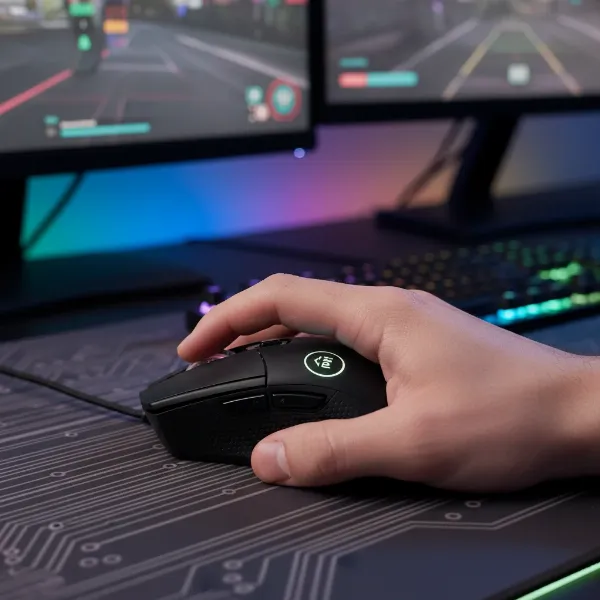 A gamer's hand adjusting DPI settings on a high-performance gaming mouse, focusing on the precision for competitive play.
 -
Tracking Speed (IPS) and Acceleration: IPS (Inches Per Second) indicates the maximum speed at which a mouse can move while maintaining accurate tracking. A higher IPS ensures that even during rapid “flick” movements, the mouse accurately captures your motion. Acceleration refers to the sensor’s ability to track swift movements and directional shifts without losing accuracy. For serious gaming, look for high IPS and consistent acceleration to ensure reliability during intense gameplay.
-
Polling Rate: This determines how frequently the mouse reports its position to the computer, measured in Hertz (Hz). A 1000Hz polling rate means the mouse updates its position 1000 times per second, resulting in a 1ms response time. Modern gaming mice now offer 4000Hz (0.25ms) and even 8000Hz (0.125ms) polling rates, providing smoother tracking and quicker input registration. While the difference beyond 1000Hz might be subtle for casual play, competitive players can benefit from the reduced input delay.
-
Lift-Off Distance (LOD): LOD is the height at which the mouse sensor stops tracking when lifted from the mousepad. A low LOD (typically 1-2mm) is crucial for FPS players who frequently lift and reposition their mouse, preventing unwanted cursor movement.
-
Shape and Size (Grip Style): Your grip style profoundly influences the ideal mouse shape and size. There are three primary grip styles:
- Palm Grip: The entire palm rests on the mouse, with fingers flat. This offers maximum control and stability, suitable for larger, contoured ergonomic mice like the Logitech G502 X Plus or Corsair SABRE RGB PRO WIRELESS CHAMPION SERIES.
- Claw Grip: The palm rests partially on the back of the mouse, with fingers arched like a claw. This provides a balance of speed and control. Medium-sized mice with a hump towards the middle-rear are often preferred, such as the Logitech G PRO X Superlight 2.
- Fingertip Grip: Only the fingertips make contact with the mouse, allowing for quick, precise movements using only the fingers. This style benefits from smaller, lightweight, ambidextrous mice. Examples include the Corsair M65 RGB ULTRA WIRELESS or Pulsar X2A.
-
Number of Buttons: Beyond the standard left, right, and scroll wheel, many gaming mice offer programmable buttons. While MMO/RTS players may benefit from numerous side buttons (like the Razer Naga V2 Pro), FPS players often prefer fewer, strategically placed buttons to avoid accidental presses.
-
Connectivity (Wired/Wireless): For serious gaming, modern 2.4GHz wireless mice offer performance comparable to wired options, with latency often within 1-2 milliseconds, which is imperceptible to most users. However, some professional players still prefer wired mice for absolute consistency and to eliminate any risk of interference or battery drain during critical moments.
-
Sensor Technology:
- Optical Sensors: Generally preferred for gaming due to their consistent tracking, lack of acceleration issues, and reliability on various surfaces, especially cloth mouse pads. Many high-end gaming mice use advanced optical sensors like PixArt PAW3395.
- Laser Sensors: While offering higher DPI and working on more surfaces (including glass), they can sometimes suffer from “acceleration” or “jitter” due to over-tracking minor surface details, which can hinder precision in competitive gaming.
-
Weight: Lighter mice (under 70g) are favored by FPS players for rapid flick shots and reduced fatigue during long sessions. However, some players prefer a slightly heavier mouse for more stability and controlled movements, especially in diverse genres like RPGs or strategy games. The Logitech G Pro X Superlight 2, at around 60g, exemplifies the lightweight trend for FPS.
-
Switches: Gaming mice use mechanical or optical switches for their main buttons. Optical switches offer faster actuation speed and greater durability by using an infrared light beam, eliminating debounce delay issues common with mechanical switches. Razer’s Gen-3 Optical Switches are known for their crispness and speed.
-
Battery Life (for Wireless Mice): For wireless options, sufficient battery life is crucial to avoid interruptions. Look for models offering 50+ hours of active gaming on a single charge, with fast-charging capabilities or compatibility with charging mats (e.g., Logitech POWERPLAY).
Comparison Table of Gaming Mouse Features
| Feature | Description | Impact on Gaming |
|---|---|---|
| DPI | Dots Per Inch – mouse sensitivity. | Higher DPI for faster cursor movement, lower for precision aiming. |
| Polling Rate | How often mouse reports position to PC (Hz). | Higher rates (1000Hz+, 4000Hz, 8000Hz) mean lower input latency and smoother tracking. |
| IPS | Inches Per Second – max speed mouse can track accurately. | Ensures precise tracking during rapid “flick” movements. |
| LOD | Lift-Off Distance – height at which sensor stops tracking. | Low LOD prevents unwanted movement when repositioning the mouse. |
| Weight | Mouse mass (grams). | Lighter for quick movements (FPS), heavier for stability (RTS/MMO, or preference). |
| Sensor Type | Optical vs. Laser. | Optical (e.g., PixArt) generally preferred for consistent, accurate tracking in gaming. |
| Switches | Button actuation mechanism (Mechanical vs. Optical). | Optical switches offer faster, more durable clicks with minimal debounce. |
| Connectivity | Wired (USB) vs. Wireless (2.4GHz). | Wired for absolute consistency; modern 2.4GHz wireless is nearly indistinguishable in performance for most. |
| Shape/Size | Ergonomic (right-hand) vs. Ambidextrous/Symmetrical. | Dictated by grip style (Palm, Claw, Fingertip) and hand size for comfort and control. |
| Buttons | Number of programmable buttons. | Customizable macros/actions for specific games (more for MMOs, fewer for FPS). |
“The true measure of a gaming mouse isn’t just its specs on paper, but how seamlessly it translates your intent into action, becoming an invisible extension of your hand in the heat of battle.” – Sarah “Sentinel” Chen, Esports Hardware Engineer
Top Computer Mice for Serious Gaming Setups
For serious gamers, the choice often boils down to a few standout models known for their cutting-edge performance, reliability, and ergonomic designs. Here are some of the most highly-regarded gaming mice in various categories, often seen in professional esports.
-
Logitech G Pro X Superlight 2: Often considered an FPS icon, this lightweight (around 60g) ambidextrous mouse features the flawless HERO 2 sensor and LIGHTFORCE hybrid optical-mechanical switches. Its safe, egg-shaped design is beloved by pros globally for its precision and speed. It excels in competitive gaming where every millisecond matters.
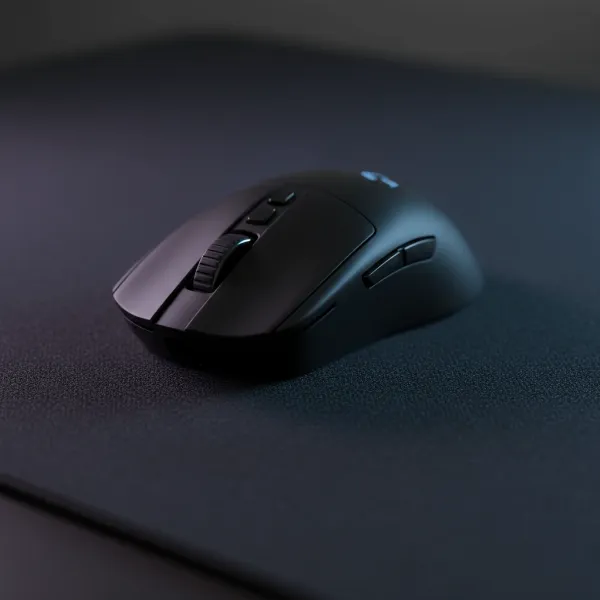 Close-up of the Logitech G Pro X Superlight 2 gaming mouse on a dark, textured mousepad, highlighting its minimalist design and lightweight construction for esports.
 -
Razer Viper V3 Pro: A top contender for mouse of the year, especially for claw grippers or those with medium-large hands. It’s praised for its low profile, symmetrical shape, and Gen-3 Optical Switches which offer crispness and speed. Weighing 54g, it’s designed for titles demanding speed and precision like Valorant and Apex Legends. It also comes with an 8K dongle included.
-
Asus ROG Harpe Ace Mini: Cited as a top overall esports mouse, it combines performance with a design optimized for competitive play.
-
Razer DeathAdder V3 Pro: A popular ergonomic choice, especially for palm grippers, known for its comfortable shape and high-performance sensor.
-
Alienware Pro Wireless Gaming Mouse: Features high polling rates (4,000Hz wireless, 8,000Hz wired), long battery life, and excellent PTFE feet for smooth gliding. It’s also noted for hand comfort.
-
HyperX Pulsefire Haste 2 Wireless: An ultra-lightweight option (61g for the standard, 59g for the Mini) perfect for fingertip grip users or those with smaller hands who prioritize agility.
These mice are often recommended for their exceptional sensors, low latency, durable switches, and designs that cater to the demanding nature of competitive gaming.
Tips for Using and Maintaining Your Computer Mouse
Even the best gaming mouse needs proper care and optimization to perform consistently at its peak.
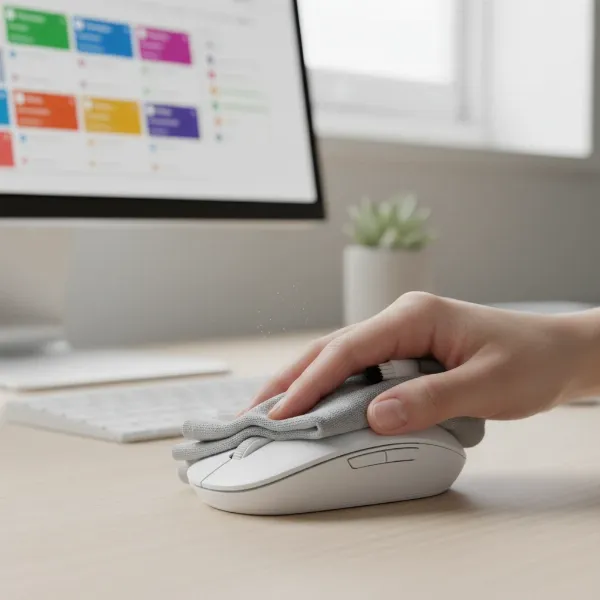
- Cleaning Your Mouse: Regularly clean your mouse, especially the sensor area and mouse feet, to prevent dust and grime buildup that can affect tracking accuracy. Use a microfibre cloth and isopropyl alcohol for the body, and compressed air for crevices.
- Adjusting DPI and Settings: Experiment with different DPI settings in conjunction with your in-game sensitivity. Most gaming mice have on-the-fly DPI buttons or software that allows you to customize profiles for different games or tasks. Lower DPI settings are generally better for precision aiming in FPS games, requiring larger physical movements.
- Optimizing Polling Rate: Utilize the highest stable polling rate your mouse and system support (e.g., 4000Hz or 8000Hz with compatible monitors and CPUs) for minimal input delay and smoother tracking. Be aware that higher polling rates can increase battery drain on wireless mice.
- Mouse Pad Choice: Pair your high-performance mouse with a quality gaming mouse pad. Cloth pads offer excellent control, while hard pads provide faster glide.
- Extending Wireless Battery Life: For wireless mice, manage RGB lighting (if present), use lower polling rates when not gaming, and ensure you charge the mouse regularly or place it on a compatible charging mat.
- Common Issues and Troubleshooting:
- Jittery Cursor: Clean the sensor, check for firmware updates, or try a different mouse pad.
- Connectivity Issues (Wireless): Ensure the dongle is close to the mouse, minimize interference from other wireless devices, and check battery levels.
- DoubleClick/Unresponsive Buttons: This can indicate switch wear. For some mice, software debounce settings can be adjusted, but often it signals a need for replacement.
Detailed Comparison Table of Mouse Types for Gaming
Understanding the nuances between different sensor and design types is key to a truly optimized gaming setup.
| Type | Primary Advantages | Primary Disadvantages | Ideal Applications |
|---|---|---|---|
| Optical Mouse | High accuracy, consistent tracking, no acceleration. | May struggle on reflective/transparent surfaces. | FPS, MOBA, RTS – most gaming genres. |
| Laser Mouse | Works on almost any surface (incl. glass), high DPI. | Can have “acceleration” issues, over-tracks minor details. | General use, high-resolution displays (less ideal for competitive gaming). |
| Gaming Mouse | High DPI/IPS, low latency, customizable buttons/macros, durable switches, ergonomic/ambidextrous designs, specialized software. | More expensive, can be overwhelming with features for casual users. | All competitive gaming genres, professional esports. |
| Ergonomic Mouse | Designed for comfort, reduces strain, natural hand fit. | Less versatile (often right-handed), may be heavier. | Long gaming sessions, users with specific hand needs, palm grip. |
| Ambidextrous Mouse | Versatile for both left/right hands, often lightweight and streamlined. | May lack deep contoured comfort for some palm grip users. | FPS, competitive play, users with flexible grip styles. |
Where to Buy a Computer Mouse for Gaming
Purchasing a gaming mouse from reputable sources ensures authenticity, warranty, and customer support.
- Online Retailers: Major online platforms like Amazon, Best Buy, and Newegg offer a vast selection, competitive pricing, and user reviews. Be sure to check seller ratings.
- Specialty Gaming Stores: Retailers like Micro Center or local computer stores often have dedicated gaming sections where you can physically test mice for grip and comfort.
- Manufacturer Websites: Buying directly from brands like Logitech, Razer, or SteelSeries guarantees genuine products and direct access to their customer service and warranty policies.
Tips for Online Purchases:
- Read Reviews: Always check multiple user and professional reviews.
- Return Policy: Verify the return policy, especially if you’re unsure about fit or feel, as mouse comfort is highly personal.
- Warranty: Confirm the warranty period (typically 1-2 years for gaming mice) and what it covers.
Buying Guide – Computer Mouse Overview for Serious Gaming
Equipping a serious gaming setup demands a strategic approach to mouse selection. By focusing on critical aspects, you can make an informed decision that elevates your gameplay.
- Budget: Determine your spending limit. High-end mice typically range from $100-$200+, offering the latest tech, while excellent mid-range options can be found for $50-$100.
- Brand Reputation: Research reputable gaming peripheral brands known for quality, innovation, and strong customer support (e.g., Logitech, Razer, SteelSeries, Glorious, Pulsar, Asus, HyperX).
- Community and Expert Reviews: Beyond specifications, consider collective wisdom. Gaming communities (like r/MouseReview on Reddit) and professional reviewers often provide invaluable insights into real-world performance, durability, and ergonomic experiences.
Conclusion
Choosing the best computer mouse for your serious gaming setup is a critical decision that influences performance, comfort, and ultimately, your enjoyment. By understanding the intricate interplay of DPI, polling rate, sensor technology, and ergonomic design, you can confidently select a device that acts as a true extension of your skill. The right gaming mouse won’t just improve your stats; it will transform your entire gaming experience, providing the precision and responsiveness needed to conquer any virtual battlefield.
What specific challenges do you face with your current mouse, and how do you envision a new gaming mouse elevating your play?
Frequently Asked Questions
What DPI do pro gamers use for FPS games?
Many professional FPS gamers prefer lower DPI settings, typically between 400-800 DPI, combined with lower in-game sensitivity. This combination allows for more precise, controlled movements and finer adjustments, which are crucial for accurate aiming and tracking targets in fast-paced competitive shooters.
Is a wired or wireless mouse better for competitive gaming?
Modern 2.4GHz wireless gaming mice offer performance that is nearly on par with wired mice, with negligible latency differences (often 1-2 milliseconds). While some professionals still prefer wired for absolute consistency and zero battery concerns, high-end wireless mice are widely used in esports due to their freedom of movement without compromising speed.
How important is mouse weight for serious gaming?
Mouse weight is highly important, particularly in competitive FPS gaming. Lighter mice (under 70 grams) allow for quicker flick shots, easier micro-adjustments, and reduce fatigue during long gaming sessions. However, preference can vary, with some players preferring a slightly heavier mouse for more stability and controlled movements.
What is mouse polling rate, and why does it matter for gaming?
Polling rate is how often your mouse reports its position to your computer, measured in Hertz (Hz). A higher polling rate (e.g., 4000Hz or 8000Hz) means the mouse communicates more frequently, resulting in lower input delay (faster response time) and smoother cursor tracking. This responsiveness can provide a competitive edge in fast-paced games.
How do I choose the right mouse shape for my grip style?
To choose the right mouse shape, first identify your grip style: palm, claw, or fingertip. Palm grippers often prefer larger, ergonomic mice for full hand support. Claw grippers typically benefit from medium-sized mice with a pronounced hump. Fingertip grippers generally opt for smaller, lightweight, ambidextrous mice for maximum finger agility.
What are optical switches in a gaming mouse?
Optical switches use an infrared light beam to register clicks, instead of physical contact points found in mechanical switches. This design results in significantly faster actuation speeds, near-zero debounce delay, and much greater durability, making them ideal for the rapid and frequent clicks required in competitive gaming.