Embarking on a journey, whether for business or leisure, often means leaving behind the comforts of your home office. For many, a laptop is an indispensable travel companion, but relying solely on a trackpad can quickly become a source of frustration and inefficiency. A dedicated computer mouse for travel can transform your mobile workspace, offering precision, comfort, and enhanced productivity on the go. This comprehensive guide will help you navigate the myriad options, ensuring you select a travel mouse that perfectly fits your specific needs and adventures.
Understanding the Travel Computer Mouse
A travel computer mouse is specifically designed to meet the unique demands of mobile use. Unlike a standard desktop mouse, it prioritizes portability, durability, and reliable performance across diverse environments. These mice are often more compact and lighter, making them easy to slip into a laptop bag or even a pocket. Their evolution has seen a shift from basic, often wired, mini-mice to sophisticated wireless devices that offer many of the features found in their full-sized counterparts.
The most common types suitable for travel include wireless mice, which typically connect via Bluetooth or a 2.4GHz USB dongle. Compact ergonomic mice aim to reduce strain during extended use, even in a smaller form factor. Foldable or “arc” designs prioritize extreme portability, flattening out for easy storage. Each type presents a balance of convenience, comfort, and functionality, with trade-offs in size versus ergonomic support or battery type versus rechargeability. The primary advantage of wireless options is the freedom from tangled cables, a significant benefit when space is at a premium. However, they introduce considerations such as battery life and potential connectivity issues, while wired mini-mice offer unparalleled reliability and plug-and-play simplicity, albeit with the hassle of a cord.
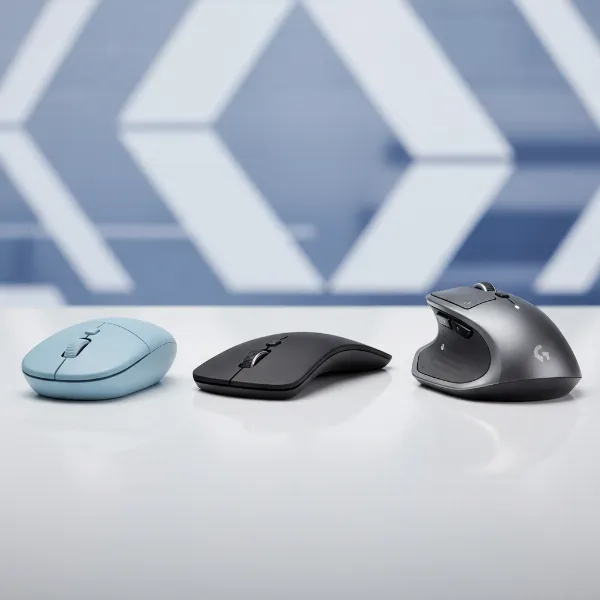 Different types of travel computer mice including compact, foldable, and ergonomic models
Essential Factors When Selecting a Travel Mouse
Choosing the right computer mouse for your travels requires a thoughtful assessment of your individual habits and priorities. What works for a casual browser might not suffice for a digital nomad or a frequent business traveler. By considering your specific usage patterns and critical features, you can make an informed decision that enhances your mobile productivity.
Determining Your Usage Needs
|
Our Picks for the Best Computer mouse in 2026
As an Amazon Associate I earn from qualifying purchases.
|
||
| Num | Product | Action |
|---|---|---|
| 1 | Logitech MX Master 4, Ergonomic Wireless Mouse with Advanced Performance Haptic Feedback, Ultra-Fast Scrolling, USB-C Charging, Bluetooth, Windows, MacOS - Graphite |

|
| 2 | Amazon Basics 3-Button USB Wired Mouse with Scrolling and Tracking - Standard, Black |
|
| 3 | Uineer Wireless Mouse,Upgraded 2.4GHz Rechargeable (Battery Level Visible) Ergonomic Computer Mouse,4 Levels DPI, Wireless Mice for Laptop Computer(Matte Black) |
|
| 4 | RAPIQUE R306 Pro Wireless Mouse, Dual Bluetooth & 2.4GHz, Connect Up to 3 Devices, Type-C Rechargeable, Silent Click, Ergonomic Symmetrical Design, for MacBook, Laptop, Tablet, Milk Tea Pink |
|
| 5 | Logitech M510 Wireless Mouse, Mouse for Laptop and PC with USB Unifying Receiver, Programmable Buttons - Graphite |
|
| 6 | TECKNET Wireless Mouse, 2.4G Ergonomic Optical Mouse, Computer Mouse for Laptop, PC, Computer, Chromebook, Notebook, 6 Buttons, 24 Months Battery Life, 2600 DPI, 5 Adjustment Levels - Purple |
|
| 7 | Apple Magic Mouse - White Multi-Touch Surface |
|
| 8 | ProtoArc Wireless Bluetooth Trackball Mouse, EM02 Two Adjustable Angle Ergonomic Rechargeable Computer Ball Mouse, 3 Device Connection, Thumb Control and Smooth Tracking for Laptop, PC, Mac-Gray |
|
| 9 | Logitech M185 Wireless Mouse, 2.4GHz with USB Mini Receiver, 12-Month Battery Life, 1000 DPI Optical Tracking, Ambidextrous PC/Mac/Laptop - Swift Grey |
|
| 10 | Logitech B100 Wired Mouse for Computer and Laptop, USB Corded Mouse, Right or Left Hand Use - Black |
|
Before diving into specifications, ask yourself a few key questions about how you intend to use your travel mouse. Are you primarily using it for quick tasks like checking emails and browsing the web, or for intensive work such as graphic design, video editing, or even gaming? The intensity and duration of your daily usage will significantly influence the type of mouse you need. For instance, a basic, ultra-compact model might be sufficient for occasional use during short trips, while a more ergonomic and feature-rich mouse becomes essential for prolonged work sessions. Additionally, establishing a projected budget will help narrow down the vast array of available options.
Key Specifications to Consider
When evaluating travel mice, several core specifications will dictate its suitability for your adventures. Prioritizing these features based on your needs is crucial for a satisfactory experience.
- Portability (Size & Weight): This is paramount for travel. Look for lightweight models that have a small footprint or thin profile, allowing them to fit easily into tight spaces without adding significant bulk. Some designs, like the Microsoft Arc Mouse, even flatten for ultimate packability. Weight is also a factor, particularly if you are trying to minimize carry-on weight for budget airlines.
- Connectivity: Wireless is almost always preferred for travel due to the absence of cables. The two main types are Bluetooth and 2.4GHz wireless (via a USB dongle). Bluetooth offers wider compatibility with devices, especially modern laptops that may lack traditional USB-A ports, and doesn’t require a dongle that can be easily lost. 2.4GHz dongle connections often provide a more stable and responsive link, but require an available USB-A port. Some premium travel mice offer dual connectivity, allowing you to switch between Bluetooth and a dongle.
- Battery Life & Type: Long battery life is a critical advantage, reducing the need for frequent recharging or battery replacements while on the road. Many modern travel mice feature internal rechargeable batteries (often via USB-C), which offer convenience. Alternatively, models powered by standard AA or AAA batteries can be practical, as these are readily available globally should you need a quick replacement. Consider which option aligns best with your travel charging setup and preferences.
- Ergonomics & Comfort: While travel mice are typically smaller, comfort remains important, especially for prolonged use. Consider your hand size and preferred grip style (palm, claw, or fingertip). Some compact mice compromise on ergonomics for size, while others attempt to integrate comfortable contours. An ergonomic design can help prevent strain during long work sessions in less-than-ideal travel setups.
- DPI and Sensor Technology: Dots Per Inch (DPI) indicates a mouse’s sensitivity and tracking precision. A higher DPI (e.g., 1000-4000) allows for finer cursor control and better performance on various surfaces without a mousepad, which is often the case when traveling. Optical sensors are common and reliable, while laser sensors can offer even greater precision and track on more challenging surfaces like glass.
- Buttons & Features: Basic navigation only requires left, right, and scroll buttons. However, additional programmable buttons can significantly boost productivity for specific tasks. Consider if features like silent clicks would be beneficial in public spaces like cafes or airplanes. Multi-device pairing capabilities are also highly advantageous for users who switch between a laptop, tablet, or smartphone.
Comparing Popular Travel Mouse Features
Instead of specific models, let’s look at the feature sets that characterize popular travel mouse categories:
| Feature Category | Ultra-Compact Basic Mouse | Feature-Rich Productivity Travel Mouse | Ergonomic Portable Mouse |
|---|---|---|---|
| Portability | Extremely small, lightweight (often under 70g), minimalist. | Compact but with more substance, often premium materials. | Designed for comfort, may be slightly larger but still portable. |
| Connectivity | Usually 2.4GHz USB dongle, sometimes basic Bluetooth. | Dual (Bluetooth + 2.4GHz dongle) or advanced Bluetooth. | Primarily Bluetooth, sometimes 2.4GHz dongle. |
| Battery | AA/AAA batteries, long life (e.g., 12+ months). | Rechargeable (USB-C), excellent life (e.g., 70 days+). | Rechargeable or AA/AAA, good battery life. |
| Ergonomics | Flat or ambidextrous shape, less ergonomic for long use. | Sculpted for a comfortable grip, often right-handed focused. | Contoured, vertical, or arc shapes for natural hand position. |
| DPI Range | Fixed low to medium (e.g., 800-1200 DPI). | Adjustable medium to high (e.g., 1000-4000+ DPI). | Adjustable medium (e.g., 1200-2400 DPI). |
| Buttons | 3 buttons (L/R click, scroll wheel click). | 5+ programmable buttons, side scroll wheel, silent clicks. | 3-5 buttons, sometimes programmable. |
| Tracking Surface | Standard surfaces. | Tracks on almost any surface, including glass. | Standard surfaces, some advanced tracking. |
| Ideal For | Casual browsing, light office work, extreme portability. | Digital nomads, professionals, frequent travelers needing high function. | Users prone to wrist strain, long work sessions. |
Top Computer Mouse Picks for Different Travel Scenarios
The market offers a diverse range of travel mice, each excelling in particular areas. Here are some categories and representative examples that highlight their suitability for different travel scenarios:
- Best Overall for Versatility: Logitech MX Anywhere 3S. This premium mouse offers an excellent balance of comfort, precision, and robust features in a portable package. Its electromagnetic scroll wheel, multi-device connectivity, and ability to track on virtually any surface (including glass) make it ideal for professionals and power users on the go. It recharges via USB-C, providing long-lasting power for extended trips.
- Best for Ultra-Portability: Microsoft Arc Mouse. Distinguished by its unique design, the Arc Mouse can flatten completely for incredibly easy storage, making it perfect for minimalist travelers. Its sleek profile fits into even the slimmest pockets or tech pouches. While its ergonomic shape is distinctive, it offers surprising comfort for its compact nature and works seamlessly across Microsoft and Mac machines.
- Best Budget-Friendly Option: Logitech Pebble Mouse 2 M350s. For travelers seeking reliability without breaking the bank, the Pebble Mouse 2 is a superb choice. It’s small, quiet, easy to use, and comes in various colors to suit personal style. Powered by a single AA battery, it boasts impressive battery life and connects via Bluetooth or a USB dongle, making it a versatile and affordable travel companion.
- Best for Productivity Power Users: Razer Pro Click Mini. This compact yet powerful mouse targets professionals who demand high performance and customization. It offers precise tracking, multiple programmable buttons, and dual-mode connectivity (Bluetooth or Razer Hyperspeed Wireless). Its balanced ergonomics provide comfort without sacrificing portability, making it suitable for intensive work or even light gaming during downtime.
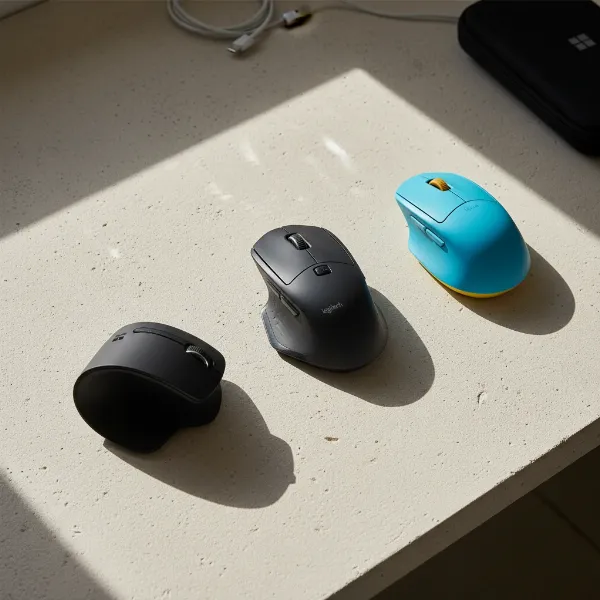 A selection of top travel computer mice, showcasing various designs and sizes suitable for on-the-go use.
Maximizing Your Travel Mouse Experience
Acquiring the perfect travel mouse is just the first step; proper usage and maintenance are key to ensuring its longevity and optimal performance during your adventures. A few simple practices can make a significant difference.
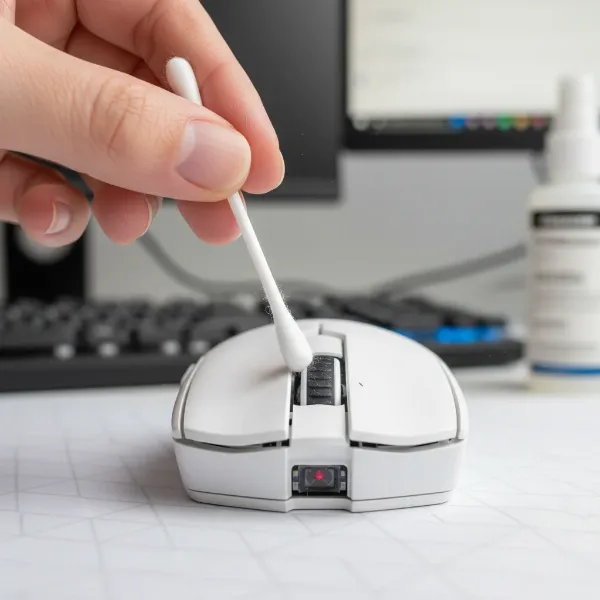
Regular cleaning is essential, especially since travel exposes your mouse to more varied environments. Use a soft, damp cloth to wipe down the exterior and a cotton swab with a small amount of rubbing alcohol to clean around the sensor and scroll wheel. This prevents dirt and grime from affecting tracking accuracy and button responsiveness. For wireless mice, managing battery life is crucial; always switch off your mouse when not in use to conserve power. If it’s a rechargeable model, carry a compatible USB-C cable. For AA/AAA powered mice, consider packing spare batteries or investing in rechargeable ones. Furthermore, take advantage of any accompanying software to adjust DPI settings to suit different surfaces and tasks, and customize programmable buttons for quick access to frequently used functions. Familiarizing yourself with these settings can significantly enhance your workflow. When encountering common travel-related issues like connectivity drops or erratic cursor movement, first check battery levels, then re-pair your mouse via Bluetooth or re-insert the USB dongle.
Detailed Comparison of Travel Mouse Technologies
Understanding the nuances between different mouse technologies can further refine your choice, ensuring the device meets your specific performance and comfort requirements on the road. The core of a mouse’s functionality often lies in its sensor and connectivity type.
Wireless optical mice, widely popular for travel, use an LED light to track movement. They are reliable and work well on most opaque, non-reflective surfaces, making them a practical choice for varied travel environments like hotel desks or cafe tables. Wireless laser mice, on the other hand, offer superior precision and can track on a broader range of surfaces, including glass, which can be advantageous when you’re working in unpredictable locations. While laser mice are often more expensive, their versatility in tracking can justify the cost for detail-oriented tasks. When it comes to form factor, ergonomic designs, even in a compact size, prioritize natural hand posture to minimize wrist strain over extended periods. This is a crucial consideration for digital nomads or remote workers. In contrast, ultra-compact designs prioritize minimal footprint and weight, often sacrificing some ergonomic shaping for extreme portability. Wired mini-mice, though less common for travel now, offer zero latency and never need batteries, serving as a reliable backup or a primary choice for those who value absolute stability over wireless freedom.
Where to Purchase Your Next Travel Computer Mouse
Finding a reliable vendor for your travel computer mouse is just as important as choosing the right model itself. For genuine products and good customer service, look to reputable online retailers such as Amazon, Best Buy, or the official websites of brands like Logitech, Microsoft, or Razer. These platforms often provide detailed product descriptions, customer reviews, and comparative tools that can assist your decision-making.
When buying online, always verify the seller’s return policy and warranty information to protect your investment. Keep an eye out for special deals or bundles that might offer better value. If possible, consider visiting a local electronics store to physically try out different mice. This allows you to assess their size, weight, and ergonomic comfort firsthand, an invaluable step before committing to a purchase. Always register your mouse with the manufacturer after purchase to ensure your warranty is active and to receive any essential software updates.
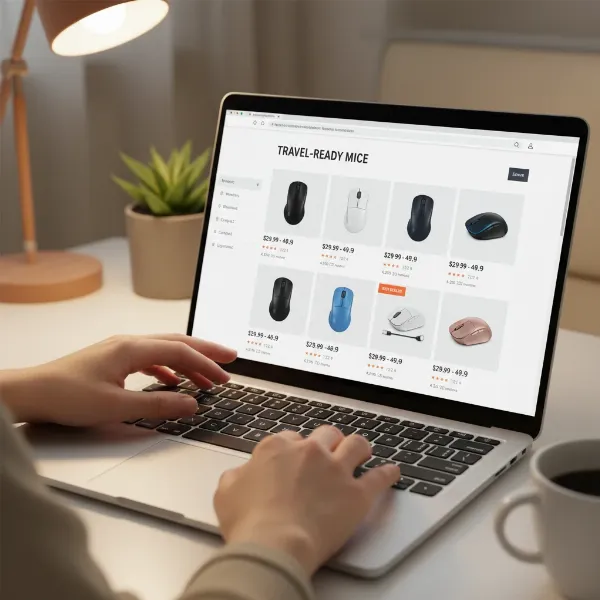 A person browsing online electronics store for travel computer mice on a laptop screen.
Travel Mouse Buying Guide – A Quick Checklist
Making a smart purchase decision, especially for a travel essential, involves a systematic approach. Here’s a concise checklist to guide you:
- Budget: Determine how much you’re willing to spend. Options range from affordable basic models to premium feature-rich devices.
- Brand Reputation: Stick to well-known brands like Logitech, Microsoft, Razer, or Dell, which generally offer better quality, reliability, and customer support.
- Read Reviews: Always check reviews from other travelers or remote workers. Pay close attention to comments regarding portability, battery life, and real-world performance on diverse surfaces.
- Try Before You Buy (If Possible): For ergonomic comfort, nothing beats holding the mouse in your hand. If an in-store trial isn’t feasible, ensure the online retailer has a flexible return policy.
“A truly great travel mouse doesn’t just fit in your bag; it empowers you to work effectively from anywhere, making the world your office.” – John Smith, Digital Nomad & Tech Reviewer
Conclusion
Selecting the ideal computer mouse for travel can significantly enhance your productivity and comfort while away from your primary workspace. By prioritizing factors such as portability, connectivity, battery life, and ergonomic design, you can find a device that seamlessly integrates into your mobile setup. Whether you opt for a sleek, ultra-compact model or a feature-rich ergonomic powerhouse, the right travel mouse can turn any temporary surface into an efficient workstation. So, what features are most important for your next travel mouse?
Frequently Asked Questions
What makes a mouse “travel-friendly”?
A travel-friendly mouse is typically lightweight, compact, and designed for easy portability. Key characteristics include wireless connectivity (Bluetooth or 2.4GHz USB), long battery life, and durable construction to withstand the rigors of travel.
Is a wired or wireless mouse better for travel?
A wireless mouse is generally better for travel due to the convenience of no cables, offering greater freedom of movement and a tidier workspace. However, it requires batteries or charging, whereas a wired mouse offers reliable, lag-free performance without power concerns.
How important is battery life for a travel mouse?
Battery life is very important for a travel mouse. A longer battery life means less frequent charging or battery changes, which is crucial when you might not have easy access to power outlets or spare batteries during your travels.
Can I use a regular mouse for travel?
While you technically can use a regular mouse for travel, it might be cumbersome due to its larger size and weight. Travel mice are specifically designed for portability and often include features like compact ergonomics or foldable designs that a standard mouse lacks.
What DPI should I look for in a travel mouse?
For a travel mouse, a DPI range of 1000 to 4000 is generally suitable. This allows for precise tracking on various surfaces you might encounter on the go, without requiring a mousepad. Some mice offer adjustable DPI settings for different tasks.
Are silent click mice good for travel?
Yes, silent click mice are excellent for travel, especially if you plan to work in public spaces like cafes, libraries, or on flights. They minimize noise, creating a more considerate and focused environment for both yourself and those around you.
What’s the benefit of a foldable travel mouse?
The primary benefit of a foldable travel mouse, like the Microsoft Arc Mouse, is its extreme portability. It can flatten out to fit into very slim pockets or compartments, taking up minimal space in your bag. This design prioritizes compactness above all else.