As a traveling freelancer, your workspace is wherever you set your laptop down – a bustling café, a quiet co-working space, or even a remote cabin. In this ever-changing environment, the right computer mouse isn’t just a convenience; it’s a critical tool for productivity and comfort. A reliable travel mouse can transform your mobile office, offering precision and ergonomic support far beyond what a trackpad can deliver, ultimately helping you avoid wrist strain and maximize efficiency on the go. This guide will help you navigate the myriad options to find the perfect portable companion for your freelance journey.
Understanding Computer Mice: A Traveler’s Perspective
A computer mouse, at its core, is an input device that translates your hand movements into cursor actions on screen. Its history dates back to the 1960s, evolving from a clunky wooden box with wheels to the sleek, sophisticated devices we use today. For traveling freelancers, understanding the different types of mice is crucial, as each offers distinct advantages and disadvantages when portability and versatility are paramount.
- Wired Mice: These connect directly to your device via a USB cable.
- Pros: No battery concerns, generally more affordable, and zero latency.
- Cons: Tangling cables are a hassle, less portable, and limit movement, making them less ideal for varied travel setups.
- Wireless Mice (2.4 GHz & Bluetooth): These offer freedom from cables, connecting either via a USB dongle (2.4 GHz) or Bluetooth.
- Pros: Excellent portability, clutter-free workspace, and greater flexibility in positioning.
- Cons: Requires batteries or recharging, potential for minor latency (though largely negligible in modern mice), and a lost dongle can render some mice unusable. Bluetooth mice avoid the dongle issue.
- Gaming Mice: Designed for high precision, rapid response, and extensive customization.
- Pros: Exceptional tracking, high DPI, and programmable buttons can be useful for complex tasks beyond gaming.
- Cons: Often bulkier, more expensive, and may have aggressive aesthetics not suited for professional environments.
- Ergonomic Mice: Sculpted to fit the natural contours of your hand, minimizing strain. This category includes vertical mice and trackballs.
- Pros: Significantly reduces the risk of repetitive strain injuries (RSI) and enhances comfort during long work sessions.
- Cons: Can be larger and less portable than standard travel mice, requiring an adjustment period for new users.
- Trackball Mice: Instead of moving the entire mouse, you manipulate a ball with your thumb or fingers.
- Pros: Stays stationary, requiring minimal desk space, and excellent for precision work in confined areas.
- Cons: Steep learning curve, generally less portable, and may not suit everyone’s workflow.
For the traveling freelancer, wireless mice, particularly those with a focus on compactness and long battery life, often strike the best balance between functionality and portability.
Choosing the Right Travel Mouse: Key Considerations
Selecting the perfect computer mouse for your freelance adventures involves more than just picking a cool-looking gadget. It requires a thoughtful assessment of your specific work habits, travel style, and ergonomic needs. What might be perfect for a graphic designer could be overkill for a writer, and vice versa.
Determine Your Usage Needs
Before diving into specifications, take a moment to reflect on how you’ll primarily use your mouse. This self-assessment will narrow down your options considerably.
- What type of work do you do? If your work involves precision tasks like graphic design, video editing, or CAD, you’ll prioritize high DPI and customizable buttons. For general office tasks, browsing, and writing, a more basic, comfortable, and portable mouse will suffice.
- How often do you use your mouse daily? Extended daily use demands superior ergonomics and comfort to prevent fatigue and strain. Casual users might tolerate simpler designs.
- What is your budget? Travel mice range from under $30 to over $100. Establishing a budget helps set realistic expectations for features and build quality.
|
Our Picks for the Best Computer mouse in 2026
As an Amazon Associate I earn from qualifying purchases.
|
||
| Num | Product | Action |
|---|---|---|
| 1 | Uineer Wireless Mouse,Upgraded 2.4GHz Rechargeable (Battery Level Visible) Ergonomic Computer Mouse,4 Levels DPI, Wireless Mice for Laptop Computer(Matte Black) |

|
| 2 | RAPIQUE R306 Pro Wireless Mouse, Dual Bluetooth & 2.4GHz, Connect Up to 3 Devices, Type-C Rechargeable, Silent Click, Ergonomic Symmetrical Design, for MacBook, Laptop, Tablet, Milk Tea Pink |
|
| 3 | Logitech M185 Wireless Mouse, 2.4GHz with USB Mini Receiver, 12-Month Battery Life, 1000 DPI Optical Tracking, Ambidextrous PC/Mac/Laptop - Swift Grey |
|
| 4 | Logitech M510 Wireless Mouse, Mouse for Laptop and PC with USB Unifying Receiver, Programmable Buttons - Graphite |
|
| 5 | TECKNET Wireless Mouse, 2.4G Ergonomic Optical Mouse, Computer Mouse for Laptop, PC, Computer, Chromebook, Notebook, 6 Buttons, 24 Months Battery Life, 2600 DPI, 5 Adjustment Levels - Purple |
|
| 6 | Logitech B100 Wired Mouse for Computer and Laptop, USB Corded Mouse, Right or Left Hand Use - Black |
|
| 7 | ProtoArc Wireless Bluetooth Trackball Mouse, EM02 Two Adjustable Angle Ergonomic Rechargeable Computer Ball Mouse, 3 Device Connection, Thumb Control and Smooth Tracking for Laptop, PC, Mac-Gray |
|
| 8 | Apple Magic Mouse - White Multi-Touch Surface |
|
| 9 | Amazon Basics 3-Button USB Wired Mouse with Scrolling and Tracking - Standard, Black |
|
| 10 | Logitech MX Master 4, Ergonomic Wireless Mouse with Advanced Performance Haptic Feedback, Ultra-Fast Scrolling, USB-C Charging, Bluetooth, Windows, MacOS - Graphite |
|
Critical Factors for Selection
Once you understand your usage needs, focus on these critical features that define a truly great travel mouse for freelancers.
- DPI Sensitivity: DPI (Dots Per Inch) measures how sensitive your mouse is. A higher DPI means the cursor moves further with less physical mouse movement. For traveling freelancers, a mouse with an adjustable DPI range (e.g., 400-8000 DPI) is ideal, allowing you to fine-tune sensitivity based on screen resolution and task. High DPI is excellent for large monitors or precise design work, while lower DPI is suitable for general browsing.
- Ergonomics & Size: This is paramount for comfort and preventing strain. Consider your hand size and preferred grip (palm, claw, fingertip). While compact mice are excellent for portability, ensure it still feels comfortable for extended use. Some highly portable mice, like the Microsoft Surface Arc, sacrifice some ergonomic curves for extreme flatness, which may not suit everyone. Vertical or ergonomic options like the Logitech Lift, while larger, offer superior wrist posture.
- Buttons: Most mice come with at least left, right, and a scroll wheel. Many productivity mice offer additional programmable buttons (e.g., thumb buttons, gesture buttons). These can be invaluable for freelancers, allowing custom shortcuts for specific applications (e.g., undo in Photoshop, switching tabs in Chrome).
- Connectivity: The best travel mice offer flexible wireless connectivity.
- Bluetooth: Connects directly to most modern laptops, tablets, and phones without a dongle, freeing up USB ports.
- 2.4 GHz Wireless (with USB dongle): Offers a very stable, low-latency connection, often preferred by some for reliability.
- Multi-device pairing: A crucial feature for freelancers who switch between a laptop, tablet, or a client’s desktop. Mice like the Logitech MX Anywhere 3S can seamlessly connect to multiple devices.
- Sensor Technology:
- Optical: Uses an LED light, works well on most opaque surfaces.
- Laser: Uses a laser, generally offers higher precision and can track on more challenging surfaces, including glass. For freelancers working on diverse surfaces (café tables, hotel desks), a mouse with a high-quality optical or laser sensor that tracks on glass is a significant advantage.
- Battery Life: For a traveling freelancer, frequent battery changes or charging can be a nuisance. Look for:
- Long-lasting battery: Many good travel mice offer weeks or even months of battery life on a single charge or a set of AA batteries.
- Rechargeable options: USB-C charging is convenient, and fast charging features (e.g., a minute of charge for hours of use) are a lifesaver.
- Portability Features: Beyond just small size, consider weight and unique designs. The Microsoft Surface Arc’s ability to snap flat for packing is an excellent example of innovative portability. Durability is also key; your mouse will endure being tossed into bags.
- Noise Level: “Silent click” technology is a blessing for anyone working in public spaces. Quiet clicks prevent you from disturbing others in libraries, cafes, or shared workspaces.
“A common misconception is that a small mouse equals a good travel mouse. While size matters for portability, never compromise on ergonomic comfort if you spend hours at your desk. Wrist pain on the road is productivity lost.”
Quick Comparison Table: Top Travel Mouse Features
| Feature | Logitech MX Anywhere 3S | Microsoft Surface Arc | Logitech Pebble M350 | Razer Pro Click Mini | Apple Magic Mouse 2 | Logitech Lift (Ergonomic) |
|---|---|---|---|---|---|---|
| Size & Weight | Compact, 3.49 oz | Ultra-flat, 2.75 oz | Slim, 2.86 oz | Compact, 2.65 oz | Slim, 3.49 oz | Vertical, 4.41 oz |
| Connectivity | Bluetooth, 2.4 GHz | Bluetooth | Bluetooth, 2.4 GHz | Bluetooth, 2.4 GHz | Bluetooth | Bluetooth, 2.4 GHz |
| Battery Life | Up to 70 days (recharge) | Up to 6 months (AAA) | Up to 18 months (AA) | Up to 15 months (AA) | Up to 1 month (recharge) | Up to 4 months (AA) |
| DPI Range | 200-8000 | Fixed | Fixed | Up to 12000 | Fixed | 400-4000 |
| Programmable Buttons | 6 (via software) | 0 | 0 | 7 (via software) | Gesture (via OS) | 6 (via software) |
| Silent Clicks | Yes | No | Yes | Yes | No | Yes |
| Surface Tracking | Any, including glass | Standard | Standard | Any | Standard | Standard |
| Special Features | MagSpeed Scroll, Flow | Snap-flat design | Minimalist design | Multi-host, durable | Multi-touch surface | Ergonomic handshake grip |
| Ideal User | Power users, versatile | Minimalists, ultra-portable | Budget, simplicity | Productivity, precision | macOS users | Ergonomics focus, RSI prevention |
Top Computer Mice for Traveling Freelancers
Having explored the essential features, let’s look at some of the best computer mice that stand out for traveling freelancers, catering to different needs and budgets.
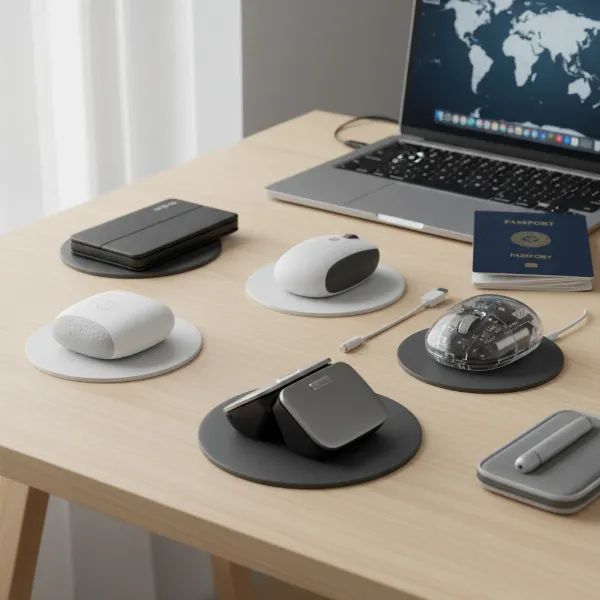 Overview of various compact and ergonomic computer mice suitable for traveling freelancers
Logitech MX Anywhere 3S: The Versatile Workhorse
The MX Anywhere 3S is consistently praised as one of the best overall travel mice for remote work. It’s a powerhouse in a compact form factor, making it ideal for freelancers who demand performance without bulk. Its precise 8K DPI sensor tracks on virtually any surface, including glass, which is invaluable when working in varied environments. The MagSpeed electromagnetic scroll wheel is incredibly fast and precise, allowing you to scroll through thousands of lines in a second or stop pixel-by-pixel. With up to 70 days of battery life on a full charge and quick USB-C charging, power anxiety becomes a thing of the past. The quiet clicks are an added bonus, ensuring you don’t disturb others in shared spaces.
Microsoft Surface Arc: The Ultra-Portable Minimalist
For the freelancer who values extreme portability and a minimalist aesthetic, the Microsoft Surface Arc is a standout. Its unique snap-flat design allows it to fold completely flat, making it incredibly easy to slip into any bag, pocket, or even a tight tech organizer. When you’re ready to work, it curves up into a comfortable, ergonomic arc. Connectivity is via Bluetooth, eliminating the need for a dongle. While it may lack the advanced features or extensive buttons of other productivity mice, its innovative form factor and lightweight build make it a top choice for those prioritizing space-saving and sleek design.
Logitech Pebble M350: The Budget-Friendly Companion
If you’re on a tight budget but still need a reliable, compact, and quiet mouse for travel, the Logitech Pebble M350 is an excellent contender. Its smooth, rounded shape fits comfortably in your hand, and its silent clicks ensure a peaceful working environment. It offers dual connectivity (Bluetooth and a 2.4 GHz USB receiver) for broad compatibility across devices. With an impressive 18 months of battery life on a single AA battery, you won’t have to worry about power for a long time. It’s a straightforward, functional, and stylish option for everyday tasks.
Razer Pro Click Mini: Productivity on the Go
The Razer Pro Click Mini caters to freelancers who need both portability and advanced productivity features, often bridging the gap between work and light gaming. This compact mouse offers multi-device connectivity, allowing you to pair it with up to four devices. It features quiet mechanical switches and a highly responsive sensor. Its symmetrical shape makes it comfortable for a wider range of users, including left-handed individuals. With programmable buttons and a sturdy build, it’s designed for those who require precision and customization even when traveling light.
Logitech Lift / MX Vertical: The Ergonomic Savior
For freelancers who suffer from wrist pain or want to proactively prevent repetitive strain injuries, an ergonomic vertical mouse like the Logitech Lift or MX Vertical is a game-changer. These mice position your hand in a natural “handshake” posture, reducing forearm twisting and wrist pressure. While larger than most travel mice, their comfort benefits for long work sessions often outweigh the slight increase in size. Both offer reliable wireless connectivity, customizable buttons, and smooth tracking, ensuring that your health and productivity remain uncompromised.
Apple Magic Mouse 2: The macOS Native
For dedicated macOS users, the Apple Magic Mouse 2 offers seamless integration and a unique multi-touch surface that allows for intuitive gesture controls (swiping between desktops, scrolling with a single finger). Its extremely flat profile makes it incredibly portable, though this design can be less ergonomic for some users during extended periods. It connects via Bluetooth and recharges via a Lightning port. While not the most feature-rich for non-Mac users or those needing extensive physical buttons, its aesthetic and native gesture support make it a strong choice for the Apple ecosystem.
Maximizing Your Travel Mouse: Tips for Use and Maintenance
Even the best computer mouse needs a little care to ensure it performs optimally and lasts through countless trips. Simple habits can significantly extend its lifespan and enhance your user experience.
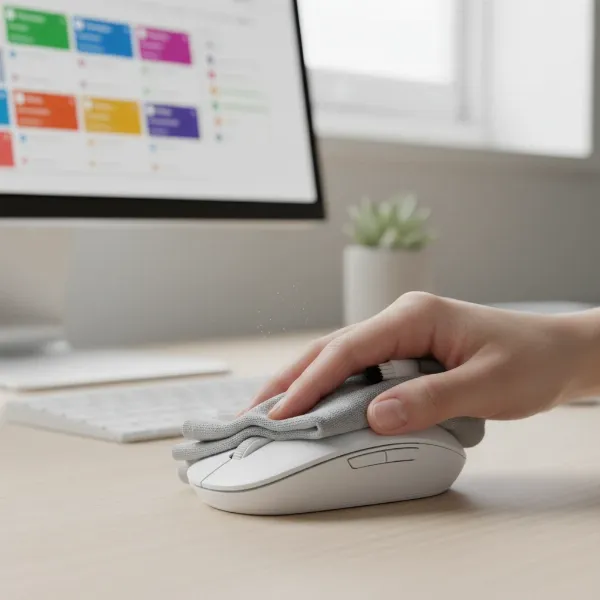
- Cleaning: Dust and grime can accumulate in optical sensors and between buttons, affecting performance. Use a can of compressed air to clear debris from crevices and a microfiber cloth lightly dampened with isopropyl alcohol to clean the surface and sensor. Avoid harsh chemicals or excessive moisture.
- DPI and Settings Adjustment: Familiarize yourself with your mouse’s software (e.g., Logitech Options+, Razer Synapse) if it has one. This allows you to customize DPI settings, program buttons for specific applications, and even set up device-specific profiles. Experiment with DPI settings to find what feels most comfortable and efficient for different tasks and screen sizes.
- Extending Battery Life for Wireless Mice:
- Turn off your mouse when not in use, especially overnight or during travel.
- Utilize power-saving modes if available.
- For mice using replaceable batteries, carry a spare set. For rechargeable mice, keep a compact power bank handy.
- Avoid extreme temperatures, which can degrade battery performance.
- Common Issues & Troubleshooting:
- Lagging/Skipping Cursor: Check battery levels, move closer to your device, or try a different USB port for dongle-based mice. Ensure no other devices are causing interference.
- Connectivity Problems: Re-pair Bluetooth mice or re-insert the USB dongle. Update your computer’s drivers.
- Unresponsive Buttons: Clean around the buttons with compressed air. If under warranty, contact customer support.
Where to Purchase Your Next Travel Computer Mouse
Finding the right computer mouse is one thing; buying it from a reputable source ensures authenticity, warranty support, and reliable after-sales service. For traveling freelancers, both online and physical stores offer distinct advantages.
- Reputable Online Retailers: Amazon, Best Buy, and direct brand websites (Logitech, Razer, Microsoft) are excellent choices. They offer a vast selection, competitive pricing, and often user reviews that provide real-world insights.
- Physical Electronics Stores: Stores like Best Buy or local computer shops allow you to physically hold and test mice, which is crucial for assessing ergonomics and comfort before purchasing. This is especially important for vertical or uniquely shaped ergonomic mice.
Tips when buying online:
- Read Reviews: Pay close attention to reviews from other traveling professionals or those with similar work needs. Look for consistent feedback on portability, battery life, and comfort during extended use.
- Check Warranty and Return Policies: Ensure the retailer offers a clear return policy in case the mouse doesn’t meet your expectations. Understand the manufacturer’s warranty for potential defects.
- Compare Prices: Use price comparison tools to ensure you’re getting the best deal. Be wary of deals that seem too good to be true, as they might indicate counterfeit products.
Buying Guide Summary for Traveling Freelancers
Choosing the ideal computer mouse as a traveling freelancer boils down to a few core principles. First, set a realistic budget that aligns with the features you need. High-end mice offer superior precision and customization, but excellent budget options exist for essential functions. Second, consider reputable brands like Logitech, Microsoft, Razer, and Apple, known for their quality and reliability in the peripheral market. Lastly, and perhaps most importantly, always read user reviews and expert opinions. Real-world feedback often highlights nuances like true comfort during long hours, effective battery life in practice, and how well a mouse holds up to the rigors of travel.
Conclusion
For the modern traveling freelancer, a well-chosen computer mouse is more than just an accessory; it’s a vital extension of your productivity toolkit, enabling comfort and efficiency wherever your work takes you. By prioritizing portability, long battery life, versatile connectivity, and ergonomic design, you can find a mouse that seamlessly integrates into your mobile workflow. Whether you opt for the versatile Logitech MX Anywhere 3S, the ultra-portable Microsoft Surface Arc, or an ergonomic solution like the Logitech Lift, investing in the right peripheral will undoubtedly enhance your remote work experience. What features will you prioritize in your next travel computer mouse?
Câu Hỏi Thường Gặp
Is a wireless mouse good for travel?
Yes, a wireless mouse is generally excellent for travel. It eliminates cable clutter, offers greater flexibility in various workspaces, and modern wireless technologies provide reliable connections and long battery life. Look for models with Bluetooth for dongle-free convenience.
What is a good DPI for a travel mouse?
For a travel mouse, a DPI range of 1000-4000 is generally sufficient for everyday tasks. However, if you perform precision work like graphic design or frequently use large monitors, a mouse with an adjustable DPI up to 8000 (like the Logitech MX Anywhere 3S) is highly recommended for versatility and accuracy.
Should I get an ergonomic mouse for travel?
If you spend many hours using your mouse daily, even while traveling, an ergonomic mouse is a wise investment. While often slightly larger, ergonomic and vertical mice significantly reduce wrist strain and prevent repetitive stress injuries, which can be critical for maintaining productivity on the road.
How important is silent clicking for a travel mouse?
Silent clicking is very important for a travel mouse, especially if you frequently work in public spaces such as cafes, libraries, or co-working offices. Quiet clicks ensure you maintain a professional demeanor and do not disturb those around you, making your mobile workspace more considerate and productive.
Can I use one mouse with multiple devices while traveling?
Yes, many modern wireless mice offer multi-device pairing capabilities, allowing you to connect and switch seamlessly between two, three, or even four devices (e.g., laptop, tablet, phone) with a single click. This feature is highly beneficial for traveling freelancers who work across various platforms.