Transforming your living room into a sophisticated entertainment hub often means bringing your computer into the mix. However, navigating a PC from the comfort of your couch presents a unique challenge: the traditional computer mouse, designed for a desk, simply doesn’t cut it. Finding the ideal computer mouse for your entertainment center is about striking a balance between convenience, comfort, and control, allowing you to seamlessly browse media, manage applications, and even enjoy casual gaming without ever leaving your seat. This comprehensive guide will walk you through everything you need to know to select a pointer that perfectly complements your home theater PC (HTPC) setup.
Overview of Computer Mice
A computer mouse is an essential input device that translates hand movements into cursor movements on a screen. Its evolution, from the humble wired ball mouse to today’s advanced wireless optical and laser variants, has been driven by the ever-changing needs of users. For an entertainment center, the nuances of mouse design and technology become even more critical.
The most prevalent types of computer mice include:
- Wired Mice: These connect directly to your PC via a USB cable.
- Pros: Reliable, no battery concerns, often lower latency for gaming.
- Cons: Cable clutter, limited range, not ideal for distant couch use.
- Wireless Mice (2.4GHz): These use a USB dongle for connection, offering greater freedom of movement.
- Pros: No cables, good range (typically up to 10 meters), often very responsive.
- Cons: Requires a USB port for the dongle, battery-dependent.
- Wireless Mice (Bluetooth): Connect directly to your PC’s built-in Bluetooth receiver.
- Pros: No dongle needed, can connect to multiple devices, often good battery life.
- Cons: Can sometimes experience connection drops or latency, especially at longer distances or with interference.
- Gaming Mice: Designed for precision and speed, often featuring high DPI, programmable buttons, and low latency.
- Pros: Excellent performance, customization.
- Cons: Often more expensive, features might be overkill for basic media control.
- Ergonomic Mice: Sculpted to promote a natural hand and wrist position, reducing strain. This category includes vertical mice and trackball mice.
- Pros: Enhanced comfort during prolonged use, crucial for a relaxed living room experience.
- Cons: Can take time to get used to, some designs are larger.
- Compact/Travel Mice: Smaller, lightweight designs built for portability.
- Pros: Easy to store and handle in a living room, ambidextrous designs are common.
- Cons: May not be comfortable for users with larger hands during extended use.
For an entertainment center, wireless connectivity is paramount, offering the flexibility to control your system from your couch or armchair without being tethered to your PC. The choice between 2.4GHz and Bluetooth often comes down to specific setup needs and potential interference in the environment.
Guide to Choosing the Right Computer Mouse for Your Entertainment Center
Selecting the perfect computer mouse for your entertainment center involves a thoughtful assessment of how you intend to use it, the environment, and your personal preferences.
Determine Your Usage Needs
Before diving into specifications, consider how you’ll primarily use the mouse:
- Media Consumption & Web Browsing: For simply navigating streaming services, browsing websites, or managing music, a basic, comfortable wireless mouse with good range and battery life is often sufficient. Features like multi-device connectivity can be a bonus if you switch between an HTPC and other devices.
- Casual Gaming: If your entertainment center doubles as a casual gaming station, you might want a mouse with slightly better responsiveness and adjustable DPI settings. However, dedicated high-performance gaming mice might be overkill unless you are playing competitive titles from the couch.
- Light Productivity/Work: For occasional email checks or document editing, an ergonomic design or a mouse with additional programmable buttons could enhance comfort and efficiency.
- Budget: Determine how much you are willing to spend. Excellent wireless mice are available across various price points, from affordable basic models to premium feature-rich devices.
|
Our Picks for the Best Computer mouse in 2026
As an Amazon Associate I earn from qualifying purchases.
|
||
| Num | Product | Action |
|---|---|---|
| 1 | Logitech B100 Wired Mouse for Computer and Laptop, USB Corded Mouse, Right or Left Hand Use - Black |

|
| 2 | Uineer Wireless Mouse,Upgraded 2.4GHz Rechargeable (Battery Level Visible) Ergonomic Computer Mouse,4 Levels DPI, Wireless Mice for Laptop Computer(Matte Black) |
|
| 3 | Amazon Basics 3-Button USB Wired Mouse with Scrolling and Tracking - Standard, Black |
|
| 4 | Apple Magic Mouse - White Multi-Touch Surface |
|
| 5 | Logitech M510 Wireless Mouse, Mouse for Laptop and PC with USB Unifying Receiver, Programmable Buttons - Graphite |
|
| 6 | Logitech MX Master 4, Ergonomic Wireless Mouse with Advanced Performance Haptic Feedback, Ultra-Fast Scrolling, USB-C Charging, Bluetooth, Windows, MacOS - Graphite |
|
| 7 | RAPIQUE R306 Pro Wireless Mouse, Dual Bluetooth & 2.4GHz, Connect Up to 3 Devices, Type-C Rechargeable, Silent Click, Ergonomic Symmetrical Design, for MacBook, Laptop, Tablet, Milk Tea Pink |
|
| 8 | Logitech M185 Wireless Mouse, 2.4GHz with USB Mini Receiver, 12-Month Battery Life, 1000 DPI Optical Tracking, Ambidextrous PC/Mac/Laptop - Swift Grey |
|
| 9 | TECKNET Wireless Mouse, 2.4G Ergonomic Optical Mouse, Computer Mouse for Laptop, PC, Computer, Chromebook, Notebook, 6 Buttons, 24 Months Battery Life, 2600 DPI, 5 Adjustment Levels - Purple |
|
| 10 | ProtoArc Wireless Bluetooth Trackball Mouse, EM02 Two Adjustable Angle Ergonomic Rechargeable Computer Ball Mouse, 3 Device Connection, Thumb Control and Smooth Tracking for Laptop, PC, Mac-Gray |
|
Key Factors to Consider When Selecting a Mouse
Once your usage needs are clear, evaluate these critical features:
- DPI (Dots Per Inch) / Sensitivity: DPI determines how far the cursor moves on screen relative to your physical mouse movement. For large TVs often used with entertainment centers, a higher DPI can be beneficial as it allows you to traverse the screen with less physical movement. Many mice offer adjustable DPI, letting you customize sensitivity based on your task—lower for precise selection, higher for quick navigation.
- Form Factor and Size: The physical design of the mouse is crucial for comfort, especially when used in various relaxed positions on a couch.
- Compact designs are easy to store and hold but might not offer sufficient palm support for everyone.
- Ambidextrous shapes are versatile for left- or right-handed users.
- Ergonomic mice, including vertical mice, are designed to reduce wrist strain, which can be particularly useful during long viewing sessions.
- Trackball mice like the Elecom Relacom offer unique advantages for entertainment centers as they do not require a surface, making them perfect for use on a couch armrest or even held in the air. You move the cursor by manipulating a ball with your thumb or finger.
- Number of Buttons: Basic mice typically have left, right, and a scroll wheel button. Many wireless mice offer additional programmable buttons, which can be incredibly useful for media controls (play/pause, volume, skip), launching applications, or performing specific functions within media players.
- Connectivity (Wired/Wireless):
- Wireless (2.4GHz with USB dongle): Generally offers a strong, reliable connection and low latency, making it suitable for responsive navigation and even casual gaming. Ensure the dongle has a clear line of sight to your mouse for optimal performance.
- Wireless (Bluetooth): Ideal for setups where USB ports are limited or if you prefer a cleaner look without a dongle. Bluetooth mice can often pair with multiple devices and switch between them. However, range and stability can sometimes be issues in busy wireless environments or at greater distances.
- Sensor Technology:
- Optical sensors are common and work well on most opaque surfaces.
- Laser sensors offer higher precision and can track on a wider variety of surfaces, including glass or glossy tables. Logitech’s “Darkfield” tracking technology is specifically designed for flawless performance on virtually any surface, making it excellent for varied living room environments.
- Battery Life: For wireless mice, battery longevity is a significant convenience factor. Look for models with long battery life (several months to a year on a single charge or set of batteries) or quick-charging capabilities for rechargeable models. USB-C charging is a modern, convenient feature.
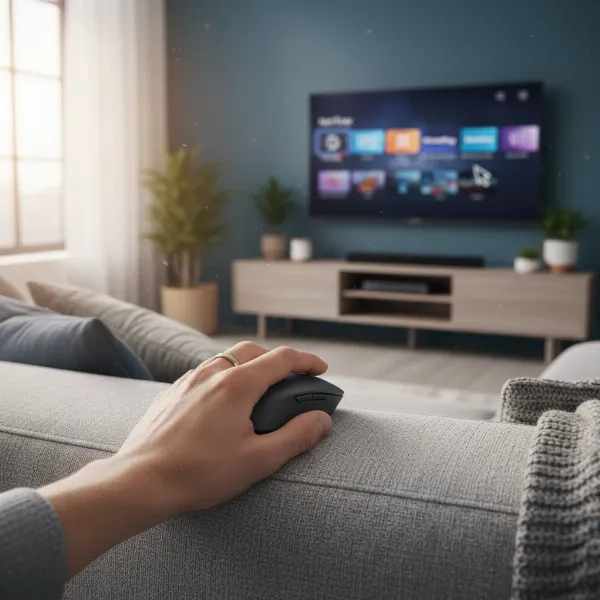 Wireless mouse on a couch with an entertainment center in the background, showing comfortable use
Table: Comparison of Popular Mouse Types for Entertainment Centers
| Feature | Wireless (2.4GHz) | Wireless (Bluetooth) | Ergonomic (Vertical/Trackball) | Gaming (Wireless) | Compact/Travel |
|---|---|---|---|---|---|
| Connectivity | USB Dongle | Bluetooth | Varies (Dongle/Bluetooth) | USB Dongle (often proprietary low-latency) | Varies (Dongle/Bluetooth) |
| Range | Good (up to 10m) | Good (up to 10m), can be sensitive to interference | Good | Excellent (often extended) | Good |
| Surface Needs | Varies (Optical/Laser), some multi-surface | Varies (Optical/Laser), some multi-surface | Minimal to none (Trackball) | Mouse pad generally required for optimal tracking | Varies (Optical/Laser), some multi-surface |
| Battery Life | Excellent, often months | Excellent, often months | Good to Excellent | Good, but often less than productivity mice due to performance | Good, often months |
| Comfort (Couch) | Good, depends on form factor | Good, depends on form factor | Excellent for reduced strain, unique grip | Good, but can be large and heavy | Good, very portable |
| Precision | Good to Excellent | Good | Good, can be learned for high precision | Excellent | Good |
| Media Controls | Often programmable buttons | Often programmable buttons | Often programmable buttons | Less focus on media, more on gaming functions | Basic, few extra buttons |
| Gaming Suitability | Good for casual gaming | Fair for casual gaming | Limited for fast-paced gaming | Excellent for competitive gaming | Poor for gaming |
| Typical Price | Budget to Mid-range | Mid-range | Mid-range to High-end | Mid-range to High-end | Budget to Mid-range |
Top Computer Mouse Models for Entertainment Centers
Based on user feedback, expert reviews, and the criteria discussed, several computer mice stand out as excellent choices for an entertainment center environment.
- Logitech MX Master 3S: Often cited as the best overall for productivity, its ergonomic design, multi-surface Darkfield sensor, and customizable buttons make it a powerful contender for an entertainment center. Its ability to connect to multiple devices via Bluetooth or a Unifying receiver is a significant advantage. The dual scroll wheels are excellent for quick navigation through long media lists or web pages.
- Logitech MX Vertical: For those prioritizing comfort and reducing wrist strain, the MX Vertical is an advanced ergonomic mouse. Its unique 57-degree vertical angle positions the hand in a natural handshake posture, which is ideal for long sessions of media browsing. It offers versatile connectivity (USB-C, Unifying receiver, Bluetooth) and long battery life.
- Logitech M720 Triathlon: This mouse quietly offers many premium features at a more affordable price point. It has an ergonomic, right-handed shape suitable for most hand sizes, three easy-to-reach side buttons, and a gesture button. Like the MX Master series, it can connect via USB receiver or Bluetooth and pair with up to three devices simultaneously, making it highly versatile for an entertainment setup.
- Logitech M240 / M196: For a straightforward, budget-friendly, and compact option, these models are excellent. They offer reliable Bluetooth connectivity, decent battery life, and a compact, symmetrical shape that is easy to carry and use. They are perfect for basic browsing and light office work, making them ideal for a minimalist entertainment center.
- Elecom Relacom (Trackball Mouse): This unique, remote-like trackball mouse is specifically designed for living room PC use. It features a trackball for thumb control, negating the need for a surface. With customizable buttons and adjustable DPI, it provides an ergonomic and convenient way to control your HTPC from a distance, making it a favorite for couch gaming and media navigation.
- Microsoft Arc Mouse: Known for its striking, foldable design, the Arc Mouse is highly portable and stylish. It connects via Bluetooth and offers a unique scroll plane that responds to touch, providing both horizontal and vertical scrolling. While its flat design when folded makes it great for travel, it arches for ergonomic comfort during use.
- Razer Pro Click Mini: This compact wireless mouse offers excellent reliability and versatility. Despite its small size, it provides a satisfying click, a top-of-the-line scroll wheel, and robust wireless connectivity options (2.4GHz and Bluetooth). It’s a great choice for those who need precision in a small form factor, even for some light gaming.
Tips for Using and Maintaining Your Computer Mouse
To ensure your computer mouse for the entertainment center performs optimally and lasts for years, follow these practical tips:
- Clean Your Mouse Regularly: Dust, crumbs, and oils can accumulate on the sensor and buttons, affecting performance. Use a soft, dry cloth to wipe the exterior and a cotton swab lightly dampened with isopropyl alcohol to clean the sensor area and crevices. For trackball mice, periodically remove and clean the trackball and its internal rollers.
- Adjust DPI Settings: Experiment with your mouse’s DPI settings to find the sensitivity that feels most comfortable for your viewing distance and screen size. Many mice have dedicated DPI buttons for on-the-fly adjustments, allowing you to switch between high sensitivity for quick cursor movement across a large TV and lower sensitivity for precise selections.
- Manage Battery Life (Wireless Mice):
- Turn Off When Not in Use: Most wireless mice have an on/off switch. Make it a habit to turn off the mouse when you’re done using your entertainment system to conserve battery.
- Monitor Battery Indicators: Pay attention to any LED indicators that signal low battery.
- Rechargeable vs. Replaceable: If your mouse uses replaceable batteries (AA/AAA), keep spares handy. For rechargeable mice, charge them overnight or during periods of non-use, taking advantage of quick-charge features if available.
- Optimize Wireless Connection: If you experience lag or dropped connections with a 2.4GHz dongle, try relocating the dongle to a front-facing USB port or using a USB extension cable to bring it closer to your mouse, minimizing interference. For Bluetooth, ensure your PC’s Bluetooth adapter is updated and in an unobstructed location.
- Troubleshooting Common Issues:
- No Cursor Movement: Check battery, ensure mouse is turned on, verify dongle is securely plugged in or Bluetooth is paired. Try a different USB port or re-pair Bluetooth.
- Jerky Movement: Clean the sensor. Ensure you’re using it on a suitable surface. Adjust DPI settings.
- Buttons Unresponsive: Check for physical obstructions. Reinstall mouse drivers or software if applicable.
“For the living room, wireless freedom is non-negotiable, but don’t overlook surface adaptability. A mouse that tracks flawlessly on anything from a coffee table to a couch cushion is a game-changer.” – Alex Chen, HTPC Specialist
Detailed Comparison of Mouse Types for Entertainment Centers
Understanding the specific advantages of different mouse technologies is key to making an informed decision for your home entertainment setup.
Wireless 2.4GHz vs. Bluetooth
- 2.4GHz Wireless: These mice use a dedicated USB dongle that communicates with the mouse over a 2.4GHz radio frequency.
- Advantages: Often offers lower latency and a more stable connection, especially valuable if you occasionally play games. Setup is typically plug-and-play. They don’t rely on your computer’s built-in Bluetooth, which can sometimes be less robust.
- Disadvantages: Requires a free USB port for the dongle, and the dongle can be lost. Range can be affected by physical obstructions.
- Bluetooth Wireless: These mice connect directly to your PC’s Bluetooth adapter, requiring no dongle.
- Advantages: Frees up a USB port, often capable of pairing with multiple devices simultaneously (e.g., your HTPC and a tablet) and switching between them with a button.
- Disadvantages: Can be susceptible to interference from other wireless devices, potentially leading to occasional lag or disconnection. Initial pairing can sometimes be less intuitive than a dongle.
Standard vs. Ergonomic vs. Trackball Mice
- Standard Mice: These are the traditional, symmetrical or subtly contoured mice.
- Advantages: Familiar to most users, wide variety of options and price points.
- Disadvantages: Can cause wrist or hand strain during extended use, especially if not paired with proper posture, which is harder to maintain on a couch.
- Ergonomic Mice: Designed to support the hand in a more natural, relaxed position. Vertical mice keep your hand in a “handshake” posture.
- Advantages: Significantly reduces muscle strain and wrist pressure, promoting comfort for long movie marathons or browsing sessions.
- Disadvantages: Can have a learning curve, and some designs may be bulky for small entertainment spaces.
- Trackball Mice: Instead of moving the entire mouse, you manipulate a ball to move the cursor.
- Advantages: Requires minimal space, making it perfect for use on a couch armrest, lap, or even in the air, as it doesn’t need a surface. Excellent for preventing repetitive strain as wrist movement is minimal.
- Disadvantages: Takes time to master for precision, not ideal for fast-paced gaming.
Gaming vs. Productivity Mice (Adapted for Living Room)
While gaming mice are built for performance and productivity mice for efficiency, both categories offer models adaptable to an entertainment center.
- Gaming Mice: High DPI, low latency, and customizable buttons are standard.
- Adaptation: A wireless gaming mouse with good battery life can offer superior responsiveness for casual gaming on an HTPC. Its programmable buttons can also be remapped for media control. However, their aggressive designs and high price tags might not appeal to everyone for a media-focused setup.
- Productivity Mice: Often feature ergonomic shapes, multi-device connectivity, and efficient scroll wheels.
- Adaptation: These are frequently excellent choices for entertainment centers due to their comfort, versatile connectivity, and customizable features that enhance general navigation and media management. Models like the Logitech MX Master series excel here.
Where to Buy a Computer Mouse for Entertainment Centers
Purchasing your new computer mouse from a reputable source ensures you get an authentic product with proper warranty and customer support.
- Major Electronics Retailers: Stores like Best Buy, Micro Center, and Amazon are excellent places to start. They offer a vast selection of brands and models, often with competitive pricing and detailed customer reviews.
- Manufacturer Websites: Buying directly from brands like Logitech, Razer, or Microsoft guarantees authenticity and access to the latest models, often with exclusive deals or bundles.
- Office Supply Stores: Retailers like Office Depot and Staples also carry a good range of productivity-focused wireless mice that can double as entertainment center peripherals.
Tips for Online Shopping:
- Read Reviews: Always check recent customer reviews on multiple platforms to gauge real-world performance and reliability.
- Check Specifications: Confirm connectivity types (Bluetooth version, 2.4GHz dongle), battery life claims, and dimensions.
- Understand Return Policies: Familiarize yourself with the retailer’s return policy, especially if you’re unsure about comfort or compatibility.
- Warranty and Support: Verify the manufacturer’s warranty period and the availability of customer support in case of issues.
Buying Guide – Computer Mouse Overview
Making the right choice for a computer mouse that perfectly suits your entertainment center comes down to a few final considerations.
- Budget: Determine what you’re willing to spend. While high-end mice offer superior features and comfort, excellent budget-friendly options exist for basic media navigation. More investment usually translates to better build quality, advanced sensors, and extended battery life.
- Brand Reputation: Stick to well-known brands like Logitech, Razer, Microsoft, and Elecom, which have a proven track record for quality, durability, and customer support in the computer peripheral market. These brands often offer robust software for customization as well.
- Read Reviews and Watch Videos: Beyond specifications, user experiences are invaluable. Look for reviews specifically mentioning HTPC use, couch navigation, and multi-surface performance. Video reviews can also give you a better sense of a mouse’s size and feel in hand.
“A common mistake is buying a cheap, generic mouse that fails on comfort or range. For an entertainment center, invest in reliability; it significantly enhances the user experience.” – Sarah Miller, Tech Reviewer
Conclusion
Choosing the best computer mouse for your entertainment center is about enhancing your comfort and control, allowing you to fully immerse yourself in your media without interruption or frustration. By prioritizing wireless connectivity, a suitable form factor, reliable tracking, and long battery life, you can find a mouse that seamlessly integrates with your home theater PC setup. Whether you opt for a versatile productivity powerhouse, a specialized ergonomic design, or an innovative trackball, the right mouse will transform your living room into a truly effortless digital haven. What will be the first movie or game you control with your new, perfect mouse?
Frequently Asked Questions
What is the most important feature for a computer mouse used with an entertainment center?
The most important feature is reliable wireless connectivity with sufficient range to cover your seating area. This ensures seamless control from your couch or armchair, eliminating cable clutter and providing freedom of movement, which is essential for a comfortable entertainment experience.
Can I use a regular gaming mouse for my HTPC?
Yes, you can use a regular gaming mouse for your HTPC, especially a wireless one. Gaming mice often offer low latency and high precision, which are great for responsive control. However, their aggressive designs might not always be the most ergonomic or aesthetically pleasing for a living room environment.
How does a trackball mouse benefit an entertainment center setup?
A trackball mouse significantly benefits an entertainment center setup because it doesn’t require a flat surface for operation. You can comfortably use it on a couch armrest, your lap, or even while holding it in the air, making it incredibly versatile for controlling your HTPC from any relaxed position.
What’s the difference between 2.4GHz and Bluetooth wireless mice for an HTPC?
2.4GHz wireless mice typically use a USB dongle for a dedicated, often more stable and lower-latency connection, which is good for responsiveness. Bluetooth mice connect directly to your PC’s built-in Bluetooth, freeing up a USB port and often allowing multi-device pairing, though they can sometimes be prone to interference.
How important is battery life for an entertainment center mouse?
Battery life is very important for an entertainment center mouse. You don’t want to interrupt your media viewing or gaming to frequently change batteries or recharge. Look for mice with long battery endurance (several months) or quick-charging features for optimal convenience.
Are compact mice comfortable enough for long periods of HTPC use?
Compact mice are great for portability and easy storage in a living room, but their comfort for long periods of HTPC use can vary. Users with smaller hands might find them perfectly comfortable, while those with larger hands might experience fatigue. Ergonomic designs might be better for extended sessions.
Should I consider a keyboard and mouse combo for my entertainment center?
Yes, a keyboard and mouse combo can be a great solution for an entertainment center, especially if you anticipate needing to type frequently for searches, passwords, or light productivity. Many combos offer compact designs with integrated trackpads, providing both input methods in one convenient device.