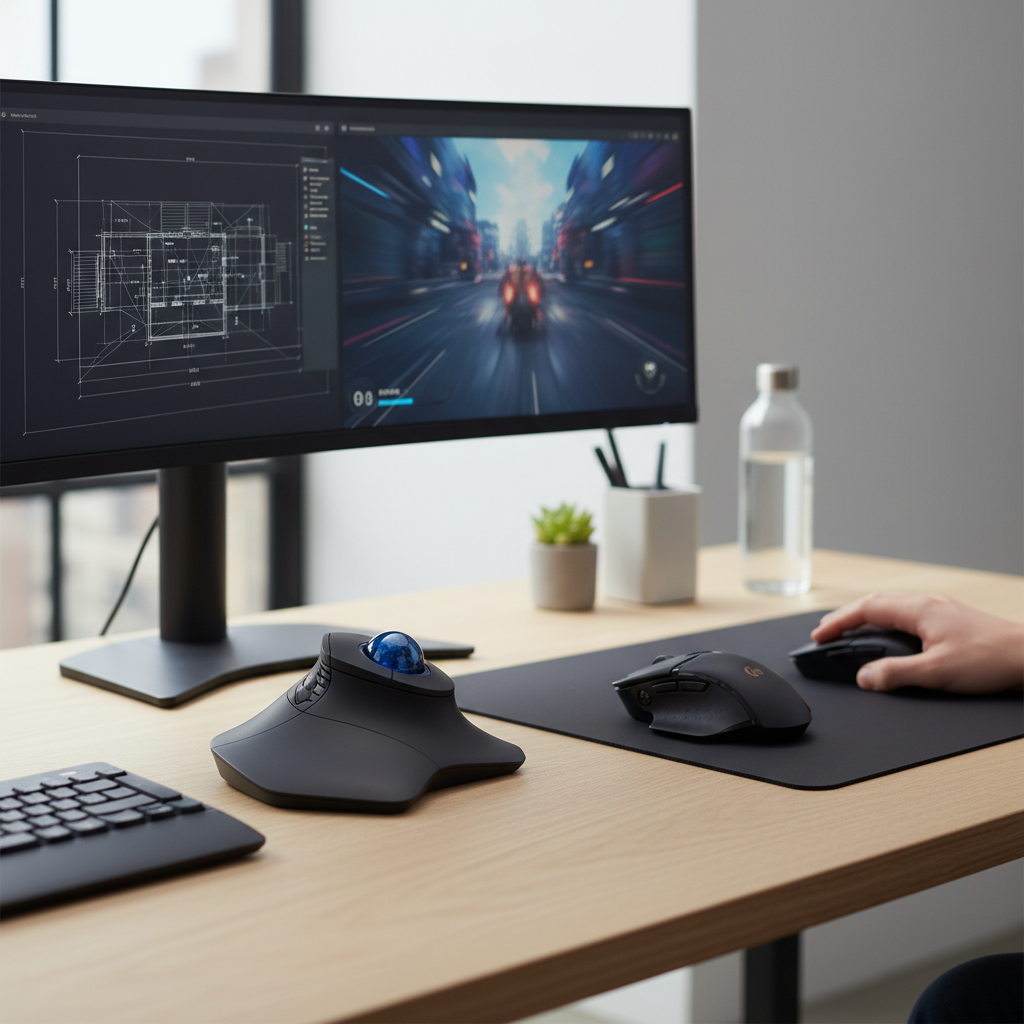
Choosing between a trackball mouse and a regular mouse in 2026 hinges on your specific needs: a trackball excels in ergonomic comfort and precision for stationary tasks, while a regular mouse offers unmatched speed and agility for dynamic movements, particularly in gaming. Your ideal input device depends on balancing desk space, workflow demands, and long-term comfort preferences.
Introduction: Navigating Input Device Choices in 2026
In 2026, the landscape of computer input devices offers more specialization and advanced technology than ever before. Deciding between a traditional regular mouse and an ergonomic trackball mouse is a critical choice impacting productivity, comfort, and even long-term health. This guide provides a comprehensive comparison to help you make an informed decision.
What is a Regular Mouse and How Does It Work in 2026?
A regular mouse, often referred to as an optical or laser mouse, operates by detecting its movement across a surface. You physically move the entire device to control the cursor. Modern 2026 regular mice feature highly advanced optical sensors capable of up to 30,000 DPI (dots per inch), allowing for extremely precise and rapid cursor movements with minimal physical travel. Wireless connectivity, leveraging technologies like Logitech’s LIGHTSPEED or Razer’s HyperSpeed, delivers sub-1ms latency, making them indistinguishable from wired counterparts. Ergonomic designs continue to evolve, with contoured shapes and lightweight materials like those found in the Logitech G Pro X Superlight 2 or Razer DeathAdder V3 Pro, aiming to reduce strain during extended use. High polling rates, now commonly reaching 4000Hz or even 8000Hz, ensure every micro-movement is registered instantly.
Advantages of a Regular Mouse in 2026
- Speed and Responsiveness: Unparalleled for quick, sweeping movements, essential for gaming and fast-paced tasks.
- Intuitive Control: The direct translation of hand movement to cursor movement is immediately familiar to most users.
- Gaming Performance: Low latency, high DPI, and lightweight designs make them the undisputed choice for competitive gaming.
- Widespread Availability: A vast array of models, features, and price points are available from numerous manufacturers.
|
Our Picks for the Best Computer mouse in 2026
As an Amazon Associate I earn from qualifying purchases.
|
||
| Num | Product | Action |
|---|---|---|
| 1 | Logitech MX Master 4, Ergonomic Wireless Mouse with Advanced Performance Haptic Feedback, Ultra-Fast Scrolling, USB-C Charging, Bluetooth, Windows, MacOS - Graphite |

|
| 2 | acer Wireless Mouse for Laptop, 2.4GHz Computer Mouse 3 Adjustable DPI Office Cordless USB Mice with USBA Receiver, 6 Buttons, 1600 DPI, Medium to Large Sized Hands Compatible with PC, Laptop, Desktop |
|
| 3 | Logitech M185 Wireless Mouse, 2.4GHz with USB Mini Receiver, 12-Month Battery Life, 1000 DPI Optical Tracking, Ambidextrous PC/Mac/Laptop - Swift Grey |
|
| 4 | Amazon Basics 2.4 Ghz Wireless Optical Computer Mouse with USB Nano Receiver, Black |
|
| 5 | Wireless Bluetooth Mouse, Rechargeable, LED, Silent, Ultra-thin Design (Bluetooth 5.2 and 2.4GHz USB Receiver) | Portable Computer Mouse for Laptops, iPads, MacBooks and Apple Devices (Black) |
|
| 6 | TECKNET Ergonomic Mouse, Wireless Vertical Mouse, 4800 DPI, Rechargeable Bluetooth Mice for Carpal Tunnel Right Hand, 3-Device Connectivity for Laptop, PC, MacBook, Black |
|
| 7 | Redragon M997 Magnesium Alloy Wireless Gaming Mouse, Tri-Mode BT & 2.4GHz, Ultra Lightweight Ergonomic Mouse, 1000Hz, Rechargeable for PC Laptop, Starlight Black |
|
| 8 | Logitech B100 Wired Mouse for Computer and Laptop, USB Corded Mouse, Right or Left Hand Use - Black |
|
| 9 | Amazon Basics 3-Button USB Wired Mouse with Responsive Tracking, Plug & Play, Compatible with Windows and Mac, Black |
|
| 10 | Logitech M510 Wireless Mouse, 2.4 GHz with USB Unifying Receiver, 1000 DPI Laser-Grade Tracking, 7-Buttons, 24-Months Battery Life, PC/Mac/Laptop - Graphite |
|
Disadvantages of a Regular Mouse in 2026
- Requires Desk Space: Needs a clear, flat surface for movement, which can be an issue in cramped environments.
- Arm and Wrist Movement: Constant arm and wrist motion can contribute to repetitive strain injuries (RSIs) over time.
- Surface Dependency: Performance can be affected by the mouse pad or desk surface, though modern sensors are highly adaptable.
What is a Trackball Mouse and How Has It Evolved by 2026?
A trackball mouse remains stationary on your desk. Instead of moving the entire device, you manipulate a ball with your thumb or fingers to control the cursor. This design eliminates the need for arm or wrist movement, making it highly appealing for ergonomics and limited desk space. By 2026, trackball technology has seen significant refinements. Sensors are more precise, offering adjustable DPI settings comparable to regular mice for fine control. Customizable buttons and scroll rings are standard, allowing users to tailor their workflow. Devices like the Logitech MX Ergo or Kensington Expert Mouse Wireless Trackball feature tiltable bases for personalized comfort angles and multi-device connectivity, seamlessly switching between up to three computers. Modern trackballs also boast long battery lives, often lasting months on a single charge, and robust wireless connections.
Advantages of a Trackball Mouse in 2026
- Superior Ergonomics: Minimizes arm and wrist movement, significantly reducing the risk of RSIs like carpal tunnel syndrome.
- Space Efficiency: Requires very little desk space as only the ball moves, not the device itself. Ideal for small workstations or crowded desks.
- Precision Control: Excellent for tasks requiring fine motor control, such as graphic design, CAD, or video editing, where small, deliberate cursor movements are key.
- Consistent Performance: Not affected by desk surface irregularities or needing a mouse pad.
Disadvantages of a Trackball Mouse in 2026
- Learning Curve: Takes time to adapt to controlling the cursor with a thumb or fingers rather than whole-hand movements.
- Less Suited for Gaming: The slower, more deliberate input method is generally not ideal for fast-paced gaming where quick flicks are essential.
- Maintenance: The trackball may require occasional cleaning to remove dust and grime that can affect smooth operation.
Trackball vs. Regular Mouse: Key Differences in Performance and Ergonomics for 2026 Users
The fundamental difference lies in how you interact with the cursor. This dictates their suitability for various applications and your long-term comfort.
Accuracy and Precision: Who Wins for What Tasks?
For pixel-perfect precision in tasks like graphic design, 3D modeling, or CAD, trackballs often have an edge. The ability to make tiny, controlled adjustments with your thumb or fingers, without moving your entire arm, provides a stable platform for intricate work. Imagine tracing a complex path in Adobe Illustrator or selecting a minute detail in Fusion 360; a trackball allows for sustained fine control. Regular mice, while offering high DPI, rely on macro-movements of the arm, which can introduce micro-jitters when trying to hold a precise position. However, for rapid target acquisition or quick selections across a large screen, the speed of a regular mouse is unmatched.
Ergonomics and Long-Term Comfort
This is where trackballs truly shine. By keeping your hand and wrist stationary and relying on finger or thumb movement, trackballs drastically reduce the strain associated with repetitive arm motions. Users prone to carpal tunnel syndrome, cubital tunnel syndrome, or general wrist pain often find significant relief with a trackball. Regular mice, even ergonomic models, still require constant movement of the arm and wrist. While advanced ergonomic regular mice (e.g., vertical mice) aim to improve wrist posture, they don’t eliminate the fundamental arm movement. For prolonged use, especially 8+ hours daily, the trackball’s ergonomic benefits are substantial.
Space Requirements and Portability
A trackball’s stationary nature makes it ideal for compact workspaces, standing desks, or travel setups. It occupies a fixed footprint, typically around 4-6 inches square, and doesn’t demand additional space for movement. This is a significant advantage in crowded environments like a college dorm room or a small home office. A regular mouse requires a clear area, often 8-12 inches or more, to move freely. While compact travel mice exist, they still need a surface to operate on, which can be inconvenient on an airplane tray table or a small café table.
Which Mouse Type is Best for Specific Tasks in 2026?
Your workflow dictates the optimal choice.
Gaming and High-Performance Computing
For serious gaming, a regular mouse is almost universally preferred. The need for rapid, flick-of-the-wrist movements, quick target acquisition, and immediate responsiveness makes devices like the Razer Viper V3 Pro or Logitech G Pro X Superlight 2 indispensable. Their lightweight design, ultra-low latency wireless, and high polling rates (up to 8000Hz) provide the competitive edge. Trackballs, with their deliberate input, simply cannot match the speed required for most modern gaming genres.
Graphic Design, CAD, and Video Editing
Professionals in these fields often gravitate towards trackball mice. The precision offered by thumb or finger control for intricate selections, detailed drawing, and timeline scrubbing is highly valuable. Imagine fine-tuning a Bézier curve in Photoshop or navigating a complex 3D model in SolidWorks; a trackball like the Logitech MX Ergo allows for sustained, minute adjustments without repositioning your hand. This reduces fatigue during long design sessions and enhances accuracy.
General Office Work and Productivity
For everyday tasks like browsing, document editing, and email, both mouse types are viable. The choice here often comes down to personal preference and ergonomic needs. If you experience wrist pain or have limited desk space, a trackball is an excellent choice. If you prefer the familiar feel and speed of traditional navigation, a regular mouse serves perfectly well. Many users find a hybrid approach, using a trackball for precision tasks and a regular mouse for general navigation, to be the most effective.
Comparing Top Models: 2026 Edition
Let’s look at some leading contenders in both categories for 2026, highlighting key features.
| Feature | Regular Mouse (e.g., Logitech G Pro X Superlight 2) | Trackball Mouse (e.g., Logitech MX Ergo) |
|---|---|---|
| Sensor Type/DPI | Optical (HERO 2 sensor), up to 32,000 DPI | Optical (Advanced Optical Tracking), 320-440 DPI (adjustable) |
| Connectivity | LIGHTSPEED Wireless (2.4GHz), USB-C wired | Logi Bolt/Unifying Receiver (2.4GHz), Bluetooth Low Energy |
| Polling Rate | Up to 4000Hz wireless | ~90-125Hz (typical for productivity) |
| Battery Life | Up to 95 hours (constant motion) | Up to 4 months (rechargeable via USB-C) |
| Ergonomics | Ultra-lightweight (60g), ambidextrous shape, low-friction feet | Adjustable tilt (0° or 20°), sculpted for thumb control, soft rubber grip |
| Programmable Buttons | 5 customizable buttons | 8 customizable buttons, precision mode button |
| Target User | Competitive gamers, power users needing speed | Designers, CAD users, users with RSI concerns, limited space |
Key Considerations When Choosing Your Input Device in 2026
Making the right choice involves evaluating several factors pertinent to your individual use case:
- Ergonomic Needs: Do you experience wrist pain, or are you looking to prevent future strain? A trackball can be a game-changer for long-term comfort.
- Primary Tasks: Are you a gamer, a graphic designer, or primarily doing general office work? This heavily influences the speed vs. precision trade-off.
- Available Desk Space: Is your workspace limited? Trackballs are ideal for small or cluttered desks where a regular mouse would struggle.
- Connectivity and Battery: Assess wireless stability, multi-device support, and battery life. Modern devices offer robust performance across the board.
- Programmable Features: Do you need extra buttons for macros or specific application functions? Many high-end models offer extensive customization.
- Learning Curve Tolerance: Are you willing to invest time adapting to a new input method? Trackballs require an adjustment period.
- Budget: While both categories offer options across various price points, high-end ergonomic and gaming mice can be a significant investment.
Frequently Asked Questions
Are trackball mice good for gaming?
Generally, no. Trackball mice are optimized for precision and ergonomic comfort, not the rapid, sweeping movements and quick reflexes required for most competitive gaming genres. While some casual games might be playable, serious gamers will find them a significant disadvantage.
Do trackball mice reduce wrist pain?
Yes, significantly for many users. By eliminating the need for wrist and arm movement, trackball mice reduce the repetitive strain that often leads to conditions like carpal tunnel syndrome or general wrist discomfort. They allow your hand to remain stationary in a more natural position.
How long does it take to get used to a trackball?
The adjustment period varies per individual but typically ranges from a few days to a couple of weeks. Initial use might feel awkward or slow, but with consistent practice, muscle memory develops, and precision and speed improve dramatically.
Can I use both a regular mouse and a trackball?
Absolutely. Many professionals use a regular mouse for general navigation and quick tasks, and switch to a trackball for precision-intensive work like design or editing. This hybrid approach leverages the strengths of both input devices.
What’s the best DPI for a trackball mouse in 2026?
For trackballs, DPI requirements are typically lower than for regular mice because cursor movement is achieved by rolling the ball, not by large hand movements. A DPI range of 300-1000 is common and effective for most productivity and precision tasks. Some advanced models offer adjustable DPI for fine-tuning.
Conclusion
In 2026, the choice between a trackball and a regular mouse is more nuanced than a simple “better or worse” judgment. A regular mouse remains the champion for speed, gaming, and intuitive broad movements, while a trackball excels in ergonomic comfort, precision for detailed work, and efficiency in limited spaces. Consider your primary tasks, ergonomic needs, and workspace constraints to select the input device that will best enhance your productivity and long-term comfort.